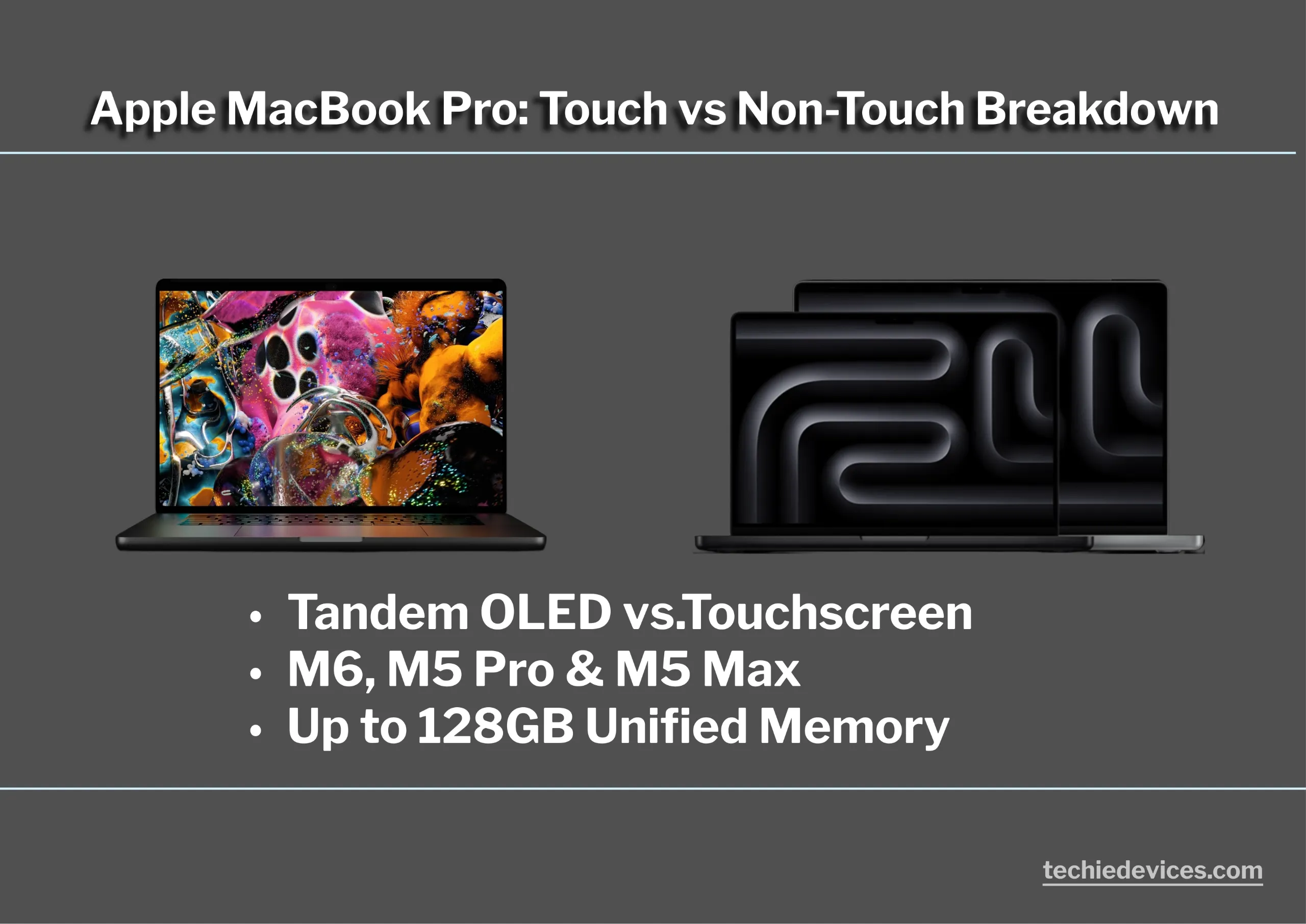
Apple has officially unveiled its premium laptop refresh, updating the MacBook Pro lineup with the powerhouse MacBook Pro M6 and the cutting-edge MacBook Pro PROLED XDR. These machines aren’t just for showpieces; they are built for heavy lifting, packed with Apple’s latest M6, M5 Pro, and M5 Max processors.
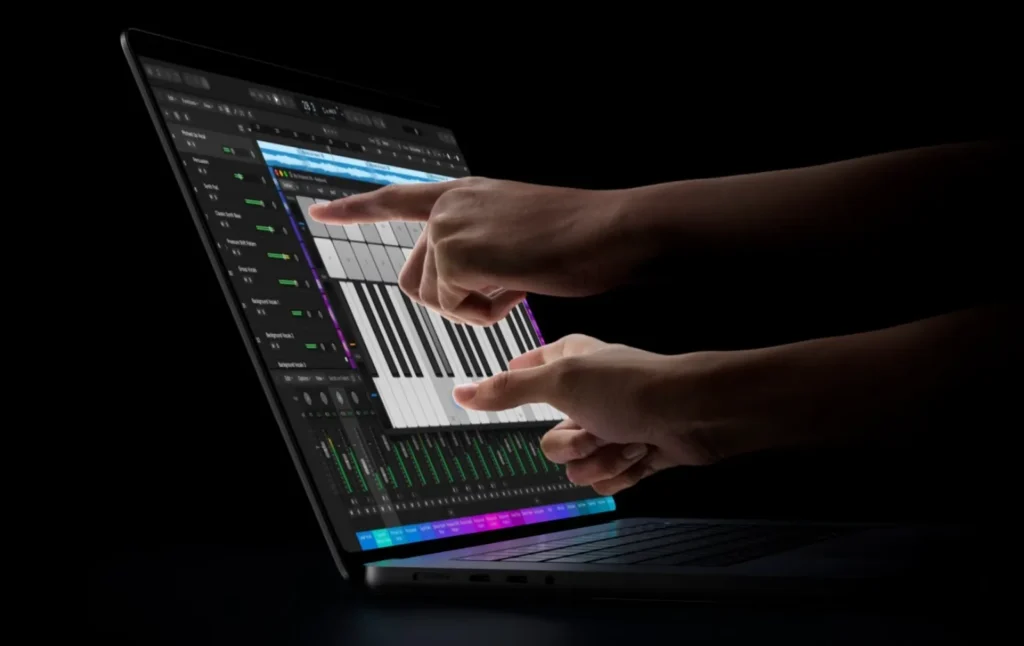
For the first time, Apple features a touch display on the PROLED version alongside a massive claim of up to 24 hours of battery life. Let’s dive deep to see which model suits your workflow, and whether you actually need an upgrade or if your older MacBook is still the better choice.


Table of Contents
Display: PROLED XDR Touch vs. Liquid Retina XDR
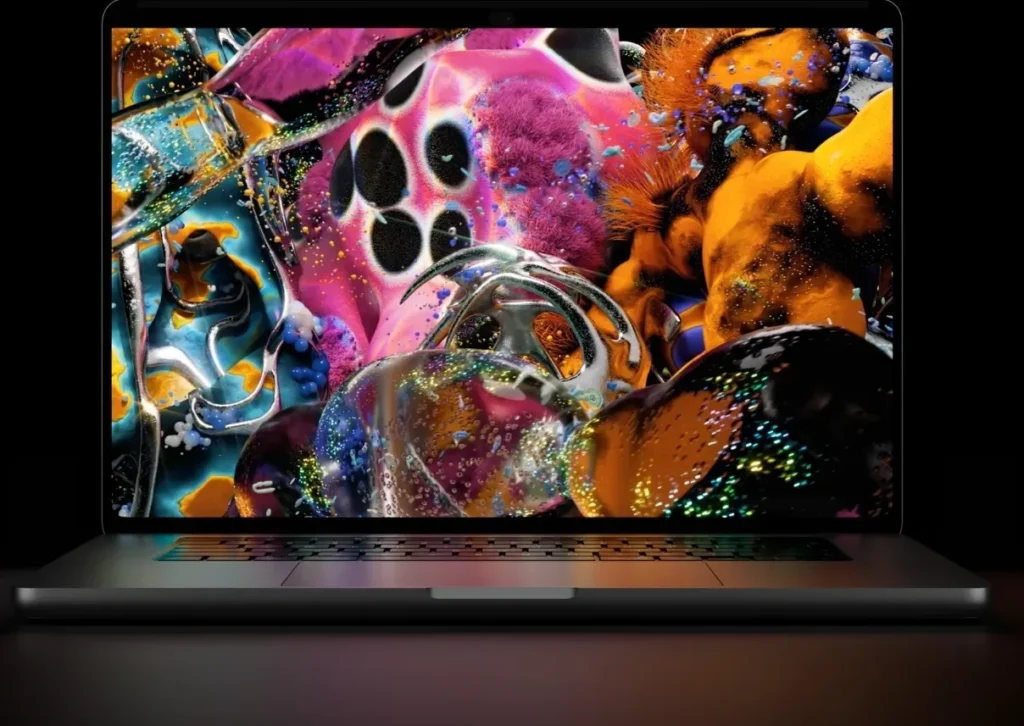
The talking point of the late 2026 MacBook Pro lineup is surely the screen. For the first time, Apple has split the lineup into two different display technologies: a PROLED XDR Touch and the reliable standard Liquid Retina XDR.
Both laptops are available in 14-inch and 16-inch, but they target completely different workflows.
Side-by-Side Display Specifications
| Feature | PROLED XDR (Touch Variant) | Liquid Retina XDR (Non-Touch) |
|---|---|---|
| Panel Type | Tandem OLED | Mini-LED |
| Interaction | Multi-Touch & Gesture Support | Standard Keyboard & Trackpad |
| Resolution | 4K | 4K |
| Refresh Rate | ProMotion 10-120hz | ProMotion 10-120hz |
| Sustained Brightness | 1,000 nits | 1,000 nits |
| Peak HDR Brightness | 2,000 nits | 1,600 nits |
| Contrast Ratio | Infinite (Pixel-level dimming) | 1,000,000:1 |
| Sizes Available | 14.2-inch / 16.3-inch | 14.2-inch / 16.2-inch |
PROLED XDR Touch: A New Approach to Display Interaction
The PROLED XDR Touch display uses a Tandem OLED panel, which stacks two OLED layers to deliver higher brightness and potentially improve display longevity compared with conventional OLED technology. More importantly, it introduces touchscreen functionality to the MacBook experience.
- Perfect Blacks and Contrast: Like other OLED displays, Tandem OLED produces true blacks by switching off individual pixels. This eliminates the blooming effect commonly associated with Mini-LED displays, particularly around bright objects against dark backgrounds.
- Touchscreen Interaction: Multi-touch gestures and stylus support introduce new ways to interact with macOS. This could benefit digital artists, UI designers, video editors, and photo editors who prefer direct interaction with their work rather than relying entirely on a trackpad or mouse.
Liquid Retina XDR (Non-Touch): The Traditional Workhorse
For users who prefer a conventional laptop experience, the Liquid Retina XDR Mini-LED display remains a capable alternative. It offers excellent brightness, contrast, and HDR performance without introducing touchscreen functionality.
- High HDR Brightness: With peak HDR brightness of up to 1,600 nits, the display delivers vibrant highlights and impressive HDR performance. Its high brightness also makes it suitable for working in brightly lit environments.
- A Cleaner Viewing Experience: Without touchscreen functionality, fingerprints and smudges are less of a concern. This makes it a practical choice for programmers, writers, and professionals who primarily interact with their laptops using a keyboard and trackpad.
Build Quality & Ergonomics: What’s Improved
The entire lineup is carved from 100% recycled premium enclosure aluminum, maintaining its rigid, unibody structure.
However, the introduction of a touchscreen variant introduces subtle but critical physical differences in how these laptops handle day-to-day work.
Structural Differences & Weight Impact
| Model | Weight (14-inch) | Weight (16-inch) | Chassis Footprint |
|---|---|---|---|
| PROLED XDR (Touch) | ~1.63 kg | ~2.18 kg | Slightly thinner profile due to OLED panel efficiency |
| Liquid Retina XDR (Non-Touch) | ~1.60 kg | ~2.14 kg | Traditional dimensions |
The PROLED XDR model requires a digitized glass layer for touch inputs; it carries a fractionally higher weight compared to its non-touch sibling. While the difference is unnoticeable in a backpack, you can feel a slight variance in the hand.
Hinge Design & Wobble
The challenge with touch laptops is screen wobble. If a hinge is too loose, pooking at the display causes it to bounce backward.
- Tighter Resistance: Apple has stiffened the friction hinge on the touch models. You can still open the laptop smoothly with a single finger, but the screen resists shifting when tapped with a finger or stylus.
- Tilt Angle: The Display still stops at the traditional MacBook viewing angle. It does not flip back 360 degrees or lay completely flat like a 2-in-1 convertible. It remains fundamentally a laptop form factor.
Palm Rejection, Trackpad and Keyboard
- Palm Rejection: Because your hands will frequently transition from typing to touching the screen, Apple’s palm rejection software is spot-on.
- Trackpad: Resting your wrist on the trackpad while reaching up to tap an icon will not trigger an accidental click.
- The Magic Keyboard: Both variants sport the same tactile, scissor-switch keyboard with a full-height function row.
No Compromises with Port Selection
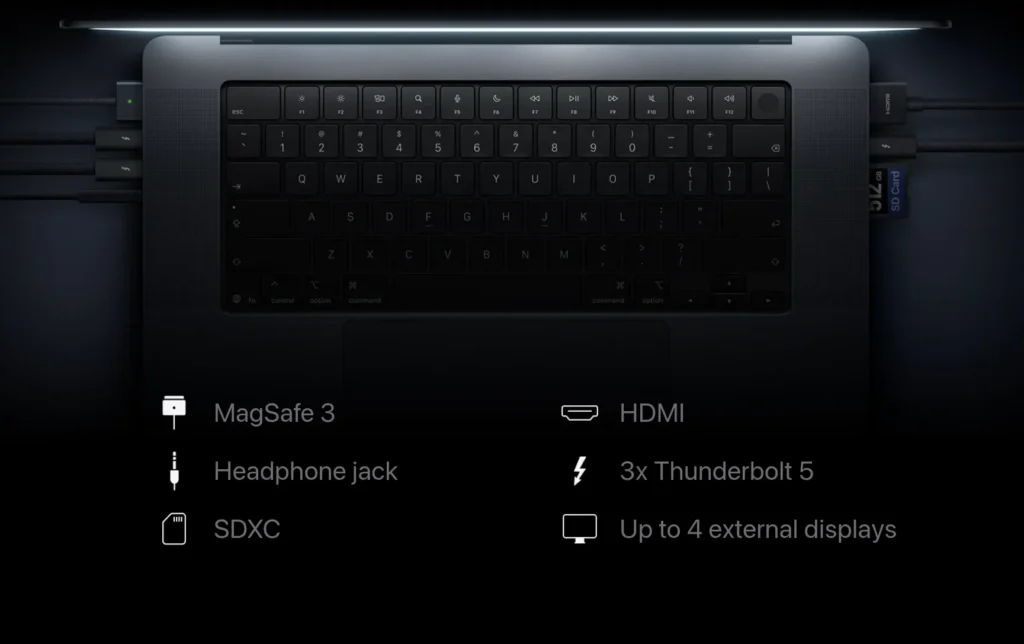
Apple hasn’t forced users to rely on dongles. Both sizes and variants come equipped with a versatile pro port array:
- 3x Thunderbolt Ports (Thunderbolt 4 / 5 depending on chip configuration)
- 1x HDMI Port (Supporting up to 8K displays)
- 1x SDXC Card Slot (An absolute must for photographers)
- 1x MagSafe 3 Charging Port (For safe, breakaway power)
- 1x 3.5mm Headphone Jack (High-impedance support for studio headphones)
Performance Core: M6, M5 Pro, and M5 Max
Apple’s M-series processors combine powerful CPU and GPU architectures with high-bandwidth unified memory to handle demanding professional workloads. The M6 introduces Apple’s 2nm manufacturing process, while the M5 Pro and M5 Max target users who need greater processing power, graphics performance, and memory capacity.
Architecture & Memory Matrix
| Chip Variant | CPU Cores (Max) | GPU Cores (Max) | Unified Memory (Max) | Memory Bandwidth (Max) | Target Workloads |
|---|---|---|---|---|---|
| Apple M6 | 12 | 12 | 32GB | 170GB/s | Software development, multitasking, everyday creative work |
| M5 Pro | 18 | 20 | 64GB | 307GB/s | 4K video editing, audio production, complex development |
| M5 Max | 18 | 40 | 128GB | 614GB/s | 3D rendering, 8K video editing, local AI model development |
Note: These figures represent the maximum configurations. Actual CPU/GPU core counts, memory capacity, and bandwidth depend on the selected chip configuration.
Understanding Apple’s Unified Memory Architecture
Apple’s Unified Memory Architecture (UMA) allows the CPU and GPU to access a shared pool of high-bandwidth memory rather than relying on separate system RAM and graphics memory.
This approach reduces unnecessary data duplication and improves memory efficiency, particularly in demanding creative and computational workloads. However, actual performance also depends on memory bandwidth, processor capabilities, and software optimisation.
For a deeper technical explanation, read our guide: Unified Memory: Why VRAM No Longer Guarantees GPU Power
Thermals & Battery Life: Performance That Lasts
Apple Silicon combines power-efficient processors with active cooling to maintain performance under demanding workloads while preserving battery life.
14-inch vs 16-inch: Cooling Performance
- 14-inch MacBook Pro: Its compact chassis has less room for cooling hardware, which can result in higher fan noise and temperatures during sustained workloads.
- 16-inch MacBook Pro: Its larger chassis accommodates a more substantial cooling system, helping maintain sustained performance with potentially lower fan noise under heavy workloads.
Battery Life: What to Expect
Both models are designed for long battery life, although actual endurance depends on the workload, display brightness, and configuration.
- Mini-LED Display: Offers excellent power efficiency for everyday productivity and media consumption.
- Tandem OLED Touch Display: May consume more power depending on brightness and usage, potentially reducing battery life compared with the non-touch variant.
Who Should Buy and Who Should Skip?
Choosing the right MacBook Pro depends on your workload, preferred display, and portability requirements.
Who Should Buy?
- 16-inch Touch + M5 Max: Best for professionals handling 8K video editing, complex 3D rendering, and demanding local AI workloads.
- 14-inch Touch + M5 Pro: Ideal for digital artists, UI/UX designers, and creative professionals who prioritise portability.
- 16-inch Non-Touch + M5 Pro: Suitable for programmers, developers, and professionals who need sustained performance and a larger workspace.
- 14-inch Non-Touch + M6: A practical choice for bloggers, students, office users, and everyday productivity without paying for higher-end configurations.
Pro-Tip: Although the touchscreen MacBook doesn’t support direct stylus input, touch interaction can still be useful for certain tasks. Digital artists will need a dedicated graphics tablet for precise drawing and illustration.
Who Should Skip This Generation?
- M3 Pro/Max and M4 Owners: If your current MacBook Pro handles your workload comfortably, upgrading may not offer enough real-world benefits to justify the expense. Consider upgrading only if you need specific improvements in performance, memory bandwidth, or display technology.
- Casual Users: If you mainly browse the web, stream videos, write documents, and manage emails, the MacBook Pro is overkill. A MacBook Air offers sufficient performance for these everyday tasks at a lower price.
Final Verdict
The late-2026 MacBook Pro lineup represents one of the most significant shifts in Apple’s notebook philosophy. By introducing the PROLED XDR Tandem OLED Touchscreen variant alongside the traditional Liquid Retina XDR model, Apple is no longer telling professionals how they should work; instead, they are offering a choice of canvases to suit individual workflows
If you are a visual creative, digital illustrator, or timeline-heavy editor, the Touch variant is an upgrade that justifies its premium price. If you are a developer, writer, or traditional data specialist, the pristine, smudge-free clarity and unmatched battery endurance of the Non-Touch Mini-LED model remain the gold standard for daily production work.
Frequently Asked Questions
Is there a risk of screen burn-in on the OLED MacBook Pro?
The risk is incredibly low. Apple utilizes a Tandem OLED architecture, which stacks two organic light-emitting layers together. This effectively doubles the brightness ceiling while significantly reducing individual pixel stress, preventing the static image retention or burn-in common on older single-layer OLED displays.
Can I upgrade the Unified Memory (RAM) or SSD storage later?
No. All components, including the Unified Memory and SSD modules, are permanently soldered onto the M6 and M5 series System-on-Chip (SoC) architectures.
Does the touch interface slow down the MacBook Pro’s processing speeds?
Not at all. The processing overhead required to register touch inputs and palm-rejection gestures is entirely offloaded to specialized low-power cores within the Neural Engine, leaving the raw CPU and GPU performance fully unhindered for your professional applications.
Does the MacBook Pro Touch variant support the Apple Pencil?
No, the MacBook Pro PROLED XDR Touch screen is engineered for multi-touch finger gestures and capacitive styluses.