
Acer Aspire 3: Is It Worth Buying?
Modern work demands a laptop with balanced performance, battery life, a good display, and portability at an affordable price. The Acer Aspire 3 can be your pick. By the end of this breakdown, you will have a clear understanding of its Intel Core 3 100U processor, RAM, storage, real-world performance, and whether this laptop is actually worth considering around the $ 393- $ 499.99 or ₹40,999–₹55,000 price range.
Regional Configuration Note: The Acer Aspire 3 comes with different hardware configurations depending on the market. The US variant discussed here features an Intel Core i3-N305 processor and 8GB of LPDDR5 memory, while the international variant features an Intel Core 3 100U processor and upgradeable DDR4 RAM. Specifications may vary by model number, so verify the configuration before purchasing.
Table of Contents
Design & Build Quality: Built for Everyday Portability
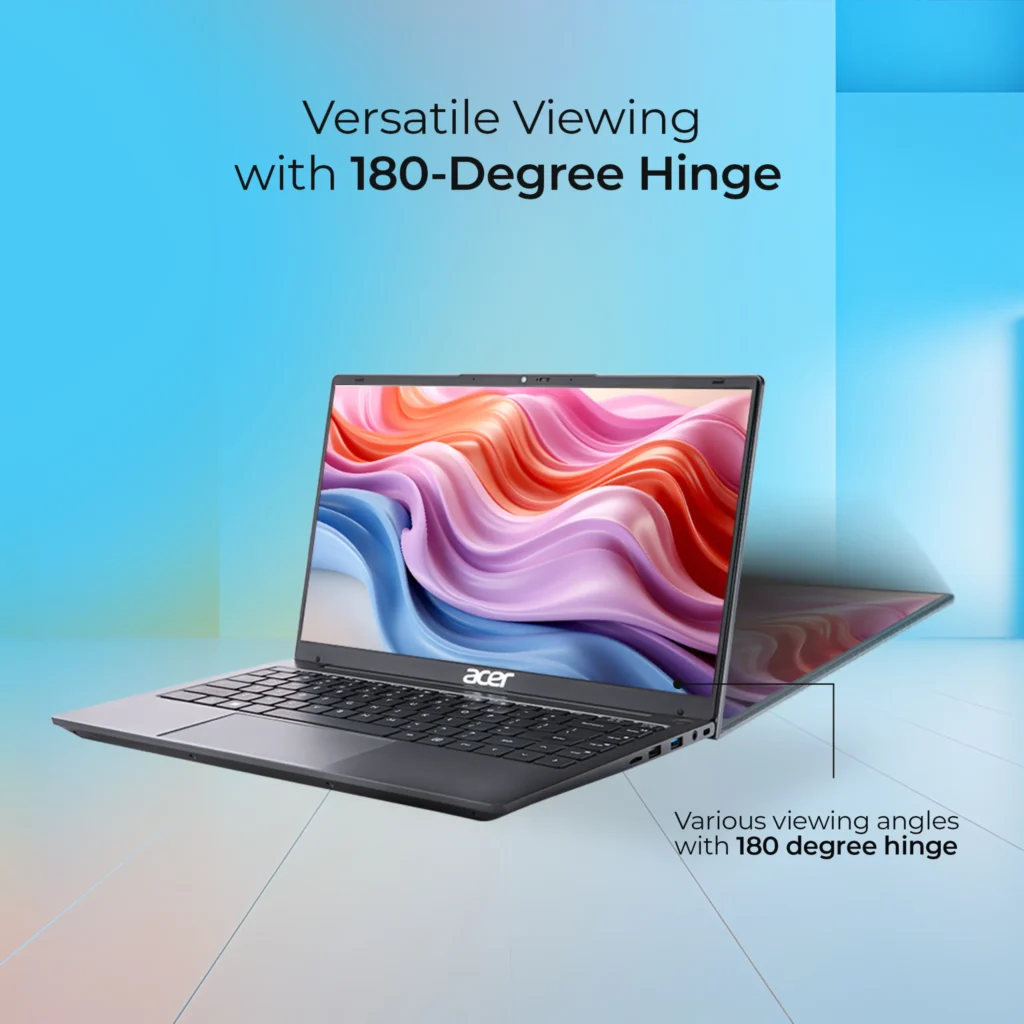
Built with eco-friendly PCR material, the upgraded Acer Aspire 3 delivers a thinner chassis and a standout 180° lay-flat hinge layout, which allows the display to fold completely flat and provides greater flexibility when sharing the screen or working from different positions.
The 14-inch model weighs a nimble 1.45 kg, perfect for travel, while the 15.6-inch variant stays portable at 1.7 kg, adding some extra bulk but providing a larger workspace and a more spacious keyboard layout.
Form Factor: How the Design Impacts Your Workflow
| Form Factor | Aspire 3 14-inch | Aspire 3 15.6-inch |
|---|---|---|
| Keyboard Layout | Compact design (no numeric keypad) | Full-sized layout (includes numeric keypad) |
| Workspace | Fits easily on airline trays or small cafe tables | Requires a standard desk space |
| Weight & Carry | Nimble ~1.45 kg; perfect for travel | Standard ~1.7 kg; better suited for stationary setups |
| Best Suited For | Frequent travelers who prefer a small form factor | Office work, spreadsheets, and users who prefer a larger screen |
Multimedia: Display and Camera Performance
In the budget segment, display can be a deciding factor in how well it handles long working sessions, meetings, and media consumption. Acer also gave a significant upgrade compared to its predecessor, ditching low-resolution TN panels.
Visuals & Wide Viewing Angles
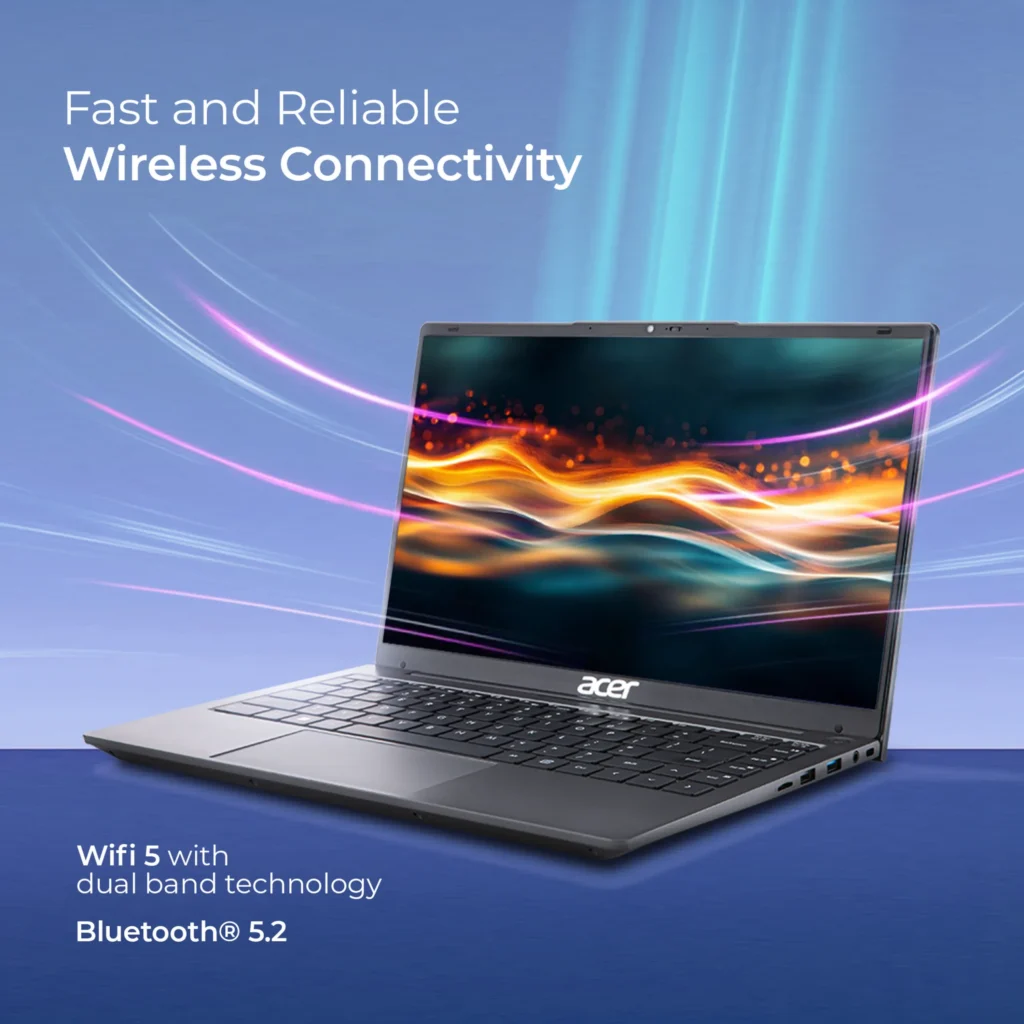
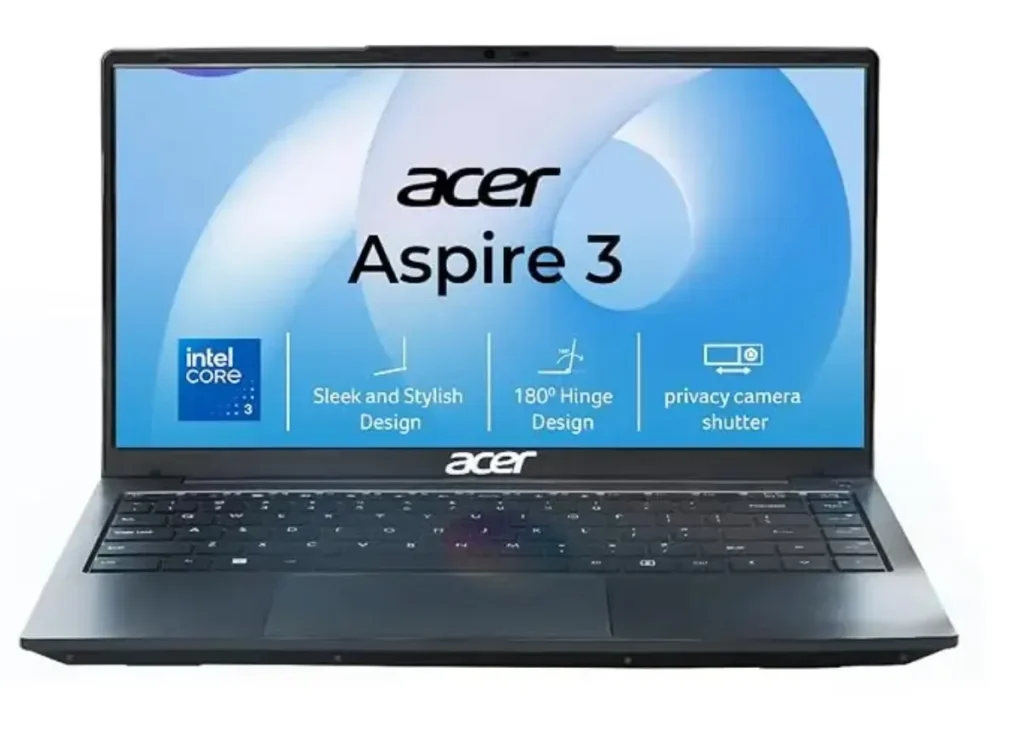
Whether you choose the 14-inch or 15.6-inch model, the Core 3 variant features a Full HD IPS display, a good product for those who spend hours reading or working in the office.
- The refreshed LED-backlit TFT LCD IPS technology gives a wider 170° viewing angle, and the color won’t distort when looking from the side.
- With display features around 250 nits of brightness, the display is good for indoor environments such as offices, classrooms, and homes; however, it will struggle under sunlight or in brightly lit environments.
- It covers approx. 45% of the NTSC color gamut. While it is sufficient for media consumption, reading, and general office work, it is not suitable for professional color grading or photo editing.
- It comes with an Acer ComfyView matte display that diffuses harsh indoor lighting reflections, making it more comfortable for extended working sessions.
Acer Aspire 3: Webcam and Microphone Quality
Featuring a 720p HD webcam accompanied by dual-array microphones, which deliver decent picture quality for meetings and Google Meet calls; however, in low light, grain is visible.
- A standout feature is its integrated camera privacy shutter, which can be easily used by sliding a button to block the lens. This is a practical addition for users who prioritise privacy during everyday work.
- The dual microphone utilizes basic noise reduction to pick up clear voice audio; surrounding room noise can still be heard, particularly in busy environments. Using a headset with a dedicated microphone can provide clearer audio and reduce distractions during meetings.
Hardware and Performance
An Intel Core 3 100U processor powers the Acer Aspire 3; this chip moves away from the older ‘i3’ naming convention while delivering efficient performance. This processor introduces 6 cores and 8 threads, consisting of 2 performance cores and 6 efficient cores.
This configuration allows the laptop to deliver balanced and responsive performance with efficient background task handling, making it suitable for daily workflow.
The laptop features a 45.6Wh, 2-cell lithium-ion battery and a 45W power adapter. A full charge takes approximately 2.5 hours, although charging times may vary depending on the model and usage conditions.
Memory & Multitasking
Acer Aspire 3 features 8 GB DDR4 RAM, which is upgradable to 32 GB RAM, and a 216 GB or 512 GB PCIe Gen3 SSD. 8 GB RAM is sufficient for everyday tasks such as web browsing, document editing, or online meetings; meanwhile, heavier multitasking reveals its limitations.
However, the older variant came with 16GB LPDDR5 non-upgradable RAM; it could have been better if it came with DDR5 RAM rather than DDR4. Nevertheless, the practical difference depends on the workload, and upgradeability may be more valuable for users who plan to keep their laptops for several years.
Hardware Capabilities & Lifespan
Its Intel Core processor is quite capable; it can run games like Valorant at moderate frame rates (60- 80 fps) as a cited third-party benchmark, not a personal test. Actual performance will vary depending on the RAM configuration, game settings, and also the cooling system.
This laptop should perform responsively for the next 3-5 years, provided your workload stays within its hardware capabilities.
Software: Pre-installed Tools & MS Office
Acer Aspire 3 comes with a fully licensed version of Windows 11 Home (64-bit) pre-installed; an additional crucial productivity bonus is its also gets Microsoft Office Home & Student (MS Office), which is also free, including Word, Excel, and PowerPoint (512GB SSD variant).
However, check the exact retail listing to confirm whether Office is included as a permanent licence or offered as a trial or subscription.
Bloatware Apps: You will encouter with few pre-loadedshortcuts and partner applications like Dropbox, promotions, or some games or game links. This is common in budget laptops. These extras generally have little impact on everyday use, but unwanted applications can clutter the Start menu.
You can remove eligible apps through Settings → Apps → Installed apps in Windows 11. Promotional shortcuts can usually be removed separately without uninstalling Windows components.
Acer Aspire 3: Pros & Cons
Pros
- Affordable Productivity: The Intel Core 3 100U offers adequate performance for everyday office work, web browsing, online classes, and general multitasking.
- Portable Design: The lightweight chassis, weighing approximately 1.45 kg for the 14-inch model and 1.7 kg for the 15.6-inch version, makes it practical for students and professionals.
- Full HD IPS Display: The 1920 × 1080 resolution and wide viewing angles provide a satisfactory experience for everyday work and media consumption.
- Upgradable RAM: The upgradeable memory configuration offers greater flexibility for users who want to improve multitasking performance in the future, provided their specific model supports the stated capacity.
- SSD Storage: PCIe Gen 3 SSD storage helps Windows boot quickly and applications load responsively.
- 180° Lay-Flat Hinge: The hinge design makes screen sharing and collaborative work more convenient.
- Camera Privacy Shutter: The integrated shutter provides a simple way to block the webcam when it is not in use.
- Useful Productivity Software: Windows 11 Home comes pre-installed, and selected configurations may include a Microsoft Office licence.
Cons
- Limited Display Brightness: The 250-nit panel can be difficult to use comfortably in bright environments or direct sunlight.
- Restricted Colour Coverage: Approximately 45% NTSC coverage limits its suitability for professional photo editing, colour grading, and other colour-critical tasks.
- Only 8GB RAM as base Configuration: This is adequate for basic workloads but can become restrictive when running numerous browser tabs and demanding applications simultaneously.
- Older DDR4 Memory: DDR4 offers adequate performance for everyday tasks, but DDR5 would provide greater memory bandwidth. The practical difference depends on the workload.
- Entry-Level Integrated Graphics: The laptop can handle lighter gaming, but demanding games and graphics-intensive workloads require compromises in resolution and settings.
- Basic Webcam Quality: The 720p camera can produce grainy images in low-light conditions.
- Potential Pre-installed Promotions: Partner apps and promotional shortcuts may require some cleanup after the initial setup.
Acer Aspire 3: Final Verdict
The Acer Aspire 3 is a practical budget laptop for everyday productivity, featuring a capable Intel Core 3 processor 100U, 256 GB SSD, upgradable 8 GB RAM, and a Full HD IPS display. Its 180° lay-flat hinge and privacy shutter give it a premium touch and useful functionality at the cost of around $425 / ₹40,999.
Meanwhile, the potential for RAM upgrades in the global variant gives it greater long-term flexibility, and its balanced 6-hour battery backup delivery is good for daily workflow.
The Acer Aspire 3 is worth considering for students, office workers, and home users who prioritise everyday reliability over premium display quality or gaming performance. However, compare it with competing laptops offering 16GB RAM, a brighter display, or newer memory technology before making your final decision.
Before you buy: Keep in mind that the US and global variants of the Acer Aspire 3 have different processors and memory configurations. This buyer’s guide focuses on the global variant with the Intel Core 3 100U. Check your local model’s specifications before comparing prices or relying on reviews of the US version.
Who should buy it?
- Students: For assignments, research, presentations, online classes, and everyday browsing.
- Office professionals: For spreadsheets, documents, video meetings, and routine administrative tasks.
- Home users: For web browsing, streaming, and general-purpose computing.
Who should skip it?
- Creative professionals: The limited colour coverage is unsuitable for colour-critical photo and video editing.
- Serious gamers: Integrated graphics are not intended for demanding modern games.
- Outdoor workers: The 250-nit display may be difficult to view comfortably in bright sunlight.
- Heavy multitaskers: Consider a configuration with 16GB RAM or more, depending on your workload.
Realted Readings
- How to Choose a Laptop in 2026 (And Avoid Costly Mistakes
- Best Laptop for Students under INR 50000 2026
Frequently Asked Question
Can the Acer Aspire 3 run Valorant?
Yes, the laptop’s integrated Intel Graphics can run Valorant at reduced or moderate graphics settings. Actual frame rates depend on the memory configuration, resolution, thermal limits, and game settings. Check independent benchmarks for the exact Aspire 3 model before buying it specifically for gaming.
Is the Intel Core 3 100U good for everyday use?
Yes. The Intel Core 3 100U is designed for everyday computing tasks such as web browsing, document editing, office applications, and video calls. It is not intended to compete with higher-performance processors designed for demanding workloads.
Does the Acer Aspire 3 come with Microsoft Office?
Some configurations or regional bundles include Microsoft Office Home & Student, while others may offer a trial or different software bundle. Check the exact product listing to confirm which licence is included and whether it is permanent or subscription-based.
How long will the Acer Aspire 3 last?
For everyday productivity, the Acer Aspire 3 could remain useful for approximately three to five years, depending on the workload, maintenance, software requirements, and hardware configuration. Choosing sufficient RAM and SSD capacity can help extend its practical lifespan.