Best Note-Taking Apps: Samsung Notes, GoodNotes, Notability & Noteshelf
Note-taking is at the heart of daily productivity, but choosing the right app and ecosystem can be overwhelming. Whether you rely on a stylus for handwritten notes, organize digital documents, or record lectures and meetings, the right note-taking app can make your workflow faster and more efficient. In this guide, we evaluate some of the most capable note-taking apps and the features that make them useful for everyday productivity.
Looking back at the evolution of digital ink, the Samsung Galaxy Note series played a major role in bringing stylus-based note-taking into the mainstream. With the introduction of the S Pen and Samsung Notes, Samsung demonstrated how a stylus could become a practical productivity tool rather than simply an additional hardware feature. This helped establish a broader market for stylus-enabled devices and encouraged developers to build note-taking apps around handwriting, annotation, planning, and other real-world workflows.
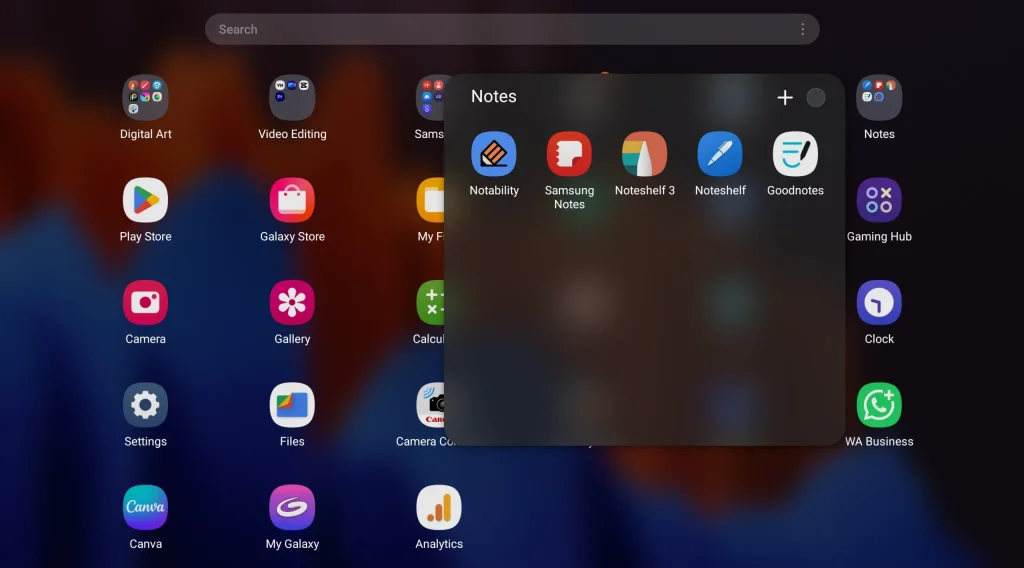
Today, the note-taking ecosystem has evolved considerably, with capable apps available across both Android and Apple devices. Samsung Notes, Noteshelf, Goodnotes, and Notability each take a different approach to handwriting, organization, multimedia, and productivity, giving users more flexibility to choose an app that fits their workflow.
Table of Contents
1. Samsung Notes: Best Free Note-Taking App for Galaxy Devices
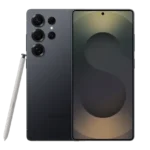
When it comes to the Android ecosystem, the first name that comes to mind is Samsung Notes. It set the benchmark for what a mobile notebook should be, and I say this from experience—having used the app for over 10 years. Huge credit goes to Samsung for providing both this top-tier application and the S-Pen bundled entirely at no extra cost.
Samsung Notes is smooth, incredibly fast, and operates with virtually zero handwriting lag. It is beautifully optimized for both casual writing and complex sketching. Here are the standout features that make it a true pro-level application:
- Flawless Stylus Response: The most satisfying part of writing or drawing in this app is the absolute control you have over lines and curves. It perfectly translates the S-Pen’s 4,096 levels of pressure sensitivity, making digital writing feel incredibly natural.
- Diverse Page Templates: Samsung didn’t just include basic grid paper. You get a massive library of well-thought-out templates catering to student notebooks, daily planners, bullet journals, and even music sheets.
- Handwriting Math Solver: A brilliant premium feature that saves hours of study time. It can instantly compute equations and neatly convert them while matching your personal handwriting style.
- Deep Multimedia Insertion: The canvas acts as a true multimedia hub. You can seamlessly insert synced voice notes, images, PDFs, raw audio files, and customized tables directly onto your pages.
- Automatic Cloud Sync: Having a reliable backup is essential. The app seamlessly backs up your notebooks across the Samsung Cloud, ensuring you never lose your hard work.
- AI Features: Samsung Notes also includes useful AI-powered tools such as auto-formatting, summarization, spelling correction, translation, and more. These features help streamline workflows, making it easier to organize notes, study, and prepare for important meetings.
- AI Features: Samsung Notes also includes tools such as auto-formatting, summarization, spelling correction, translation, and more. These features help streamline workflows, making it easier to organize notes, study, and prepare for important meetings.
Samsung Notes AI: Availability can vary by device, One UI version, language, and region.
2. Noteshelf: Best for Digital Planning and Custom Pages
If you are looking for a premium third-party note-taking app to the built-in system, Noteshelf is the undisputed heavy-hitter for Android. I can confidently say this after using Noteshelf 2 for about 4 years across my daily production workflow.
When it comes to raw ink performance and responsiveness with the S-Pen, Noteshelf and Samsung Notes are virtually identical—both are beautifully fluid with zero noticeable lag. However, Noteshelf wins absolute praise for its advanced canvas controls and professional design features. Here is what sets it apart:
- Custom Page Sizes and Scaling: This is Noteshelf’s true killer feature. Unlike Samsung Notes, which forces you into standard continuous page lengths, Noteshelf lets you pick exact page sizes (like A4, Letter, or Legal) and adjust the canvas scale. This is a game-changer if you intend to print your notes or export standard documents.
- Aesthetic Digital Planning: The built-in template library is arguably the best on Android. Noteshelf treats your digital notes like gorgeous, physical books, offering hundreds of premium paper styles, journals, trackers, and beautifully designed notebook covers.
- Advanced Audio Recording: Perfect for meetings or study sessions, you can record audio notes directly inside your notebook. The audio clips attach to your specific pages, making it easy to review conversations alongside your written text.
- Cross-Platform Syncing: Because Noteshelf is built for both iOS and Android, it provides a crucial bridge if you ever work between an iPad and a Galaxy Tab, allowing you to access a familiar workspace across ecosystems.
- Affordable Upgrade Path: While Noteshelf 3 is a separate application, existing Noteshelf 2 users get a generous 30% discount when upgrading to the premium tier, bringing the price down to just INR 690 (a small, one-time fee that unlocks lifetime premium features).
- Apple Ecosystem (iOS/macOS): Shifts heavily toward recurring tiers, offering monthly, yearly subscription structures, alongside a much higher-priced lifetime purchase alternative on the Apple App Store.
3. Goodnotes: Best for Notebook Organization
For users who want their digital workspace to feel like a traditional desk full of physical binders, Goodnotes is the absolute premier note-taking app choice. It focuses heavily on structured aesthetics and meticulous file management.
- Standout Feature (Folder Management & Customization): Goodnotes organizes everything into structured notebooks with customizable covers and paper templates. It feels less like an app and more like a virtual bookshelf. It also features a powerful market for user-designed digital planners and stickers.
- The Powerhouse Search Engine: Goodnotes has arguably the best handwriting recognition (OCR) engine on the market. You can instantly search through thousands of pages of your handwritten cursive to find a single keyword or phrase.
- Best For: Students, researchers, and digital planners who need a deeply organized, multi-subject folder system that feels like traditional paperwork.
4. Notability: Best for Audio-Linked Notes
Notability was first launched for the iPad in April 2010 by Ginger Labs and expanded to Android in August 2026, ending its long-standing Apple exclusivity.
While Goodnotes takes inspiration from the structure of traditional notebooks, Notability is designed around a more digital-first workflow. It combines a clean, scrollable canvas with extensive multimedia support, making it possible to integrate handwritten notes, recordings, images, and other content within the same workspace.
- Standout Feature (Audio Sync & Note Replay): This is Notability’s legendary killer feature. You can record audio directly inside the app while writing down notes. When you play the recording back, your handwritten ink lights up in real time, mirroring exactly what was being spoken the second your pen hit the glass.
- Fluid Multi-Note Multitasking: Notability features a unique “Multi-Note” tool that allows you to easily open two separate notes side-by-side or stacked vertically within the app workspace, completely independent of the iPad’s default split-screen mode.
- Best For: Journalists, professionals in corporate meetings, and students in fast-paced lectures who cannot risk missing critical spoken details.
A Glance at the Best Note-Taking Apps
| App | Android | iPad/iPhone | Best For |
|---|---|---|---|
| Samsung Notes | ✅ | ❌ | Galaxy + S Pen |
| Noteshelf | ✅ | ✅ | Digital planning |
| Goodnotes | ✅ | ✅ | Organisation & handwriting |
| Notability | Check current support | ✅ | Audio + lecture notes |
Final Verdict: Which Note-Taking App and Setup is Right for You?
Choosing the right digital note-taking system isn’t just about the software; it’s about finding the perfect harmony between your tablet, your stylus, and your daily workflow.
- Samsung Notes: Pairing a Samsung Galaxy Tab with the bundled S-Pen gives you a powerhouse note-taking setup with Samsung Notes completely free. Furthermore, the S-Pen holds a distinct hardware advantage over the Apple Pencil thanks to its Electromagnetic Resonance (EMR) technology. This allows it to write flawlessly without ever needing a battery or a charge, delivering a softer, more natural pen-on-glass feel right out of the box.
- You are a dedicated digital planner: If Samsung Notes feels a bit too rigid for your aesthetic tastes, upgrading to Noteshelf for a small, one-time fee gives you absolute control over page sizes, templates, and scales without tying you into a monthly subscription.
- You need rigorous organization: If you handle multiple subjects, deeply nested folders, and want your digital notes to mimic a physical library of textbooks, GoodNotes remains the undisputed king of document management.
- You are tracking complex lectures or meetings: If missing a single spoken sentence could derail your work, Notability’s audio sync replay tool makes it the absolute finest companion for students and corporate professionals alike.
Personal pick: Notability is my favourite note-taking app for lectures and meetings because its audio recording and note synchronization make it particularly convenient when I need to capture both spoken information and handwritten notes.
Related Reading
Note-Taking Apps FAQ
Which is the best note-taking app for Android?
Samsung Notes is a strong choice for Android users, especially those using a Galaxy device with an S Pen. It offers smooth handwriting, useful templates, multimedia support, AI-powered tools, and synchronization within the Samsung ecosystem.
Which note-taking app is best for students?
Samsung Notes, Goodnotes, and Notability can all work well for students. Samsung Notes is particularly convenient for Galaxy users with an S Pen, Goodnotes is suited to students who manage many organized notebooks, while Notability is useful for lectures where synchronized audio recording is important.
Which note-taking app is best for meetings?
Notability is particularly useful for meetings because of its audio recording and synchronization features. Samsung Notes and Noteshelf can also be effective for meetings, especially when you want to combine handwritten notes with other media.
Which is better for iPad, GoodNotes or Notability?
The choice depends on your workflow. GoodNotes focuses heavily on notebook organization, handwriting search, templates, and structured digital planning, while Notability places more emphasis on audio recording, note-taking during lectures, and meetings.
Which is the best note-taking app for digital planning?
Yes. Noteshelf and Goodnotes are particularly well suited to digital planning because they offer templates, customizable notebooks, planners, and other organizational tools.