How 3D Printers Work: Anatomy, Kinematics, and Engineering Principles
Think of a standard office printer: it controls an inkjet along the X and Y axes to deposit a flat layer of ink. A 3D printer uses the same kinematic fundamentals, but adds a motorized Z-axis to build physical matter layer by layer.
For tech enthusiasts, engineers, and designers using Computer-Aided Design (CAD), this shifts the paradigm entirely from flat digital screens to desktop manufacturing, capable of producing everything from end-use mechanical components to intricate figurines.
Table of Contents
Anatomy & Kinematics of a Modern 3D Printer
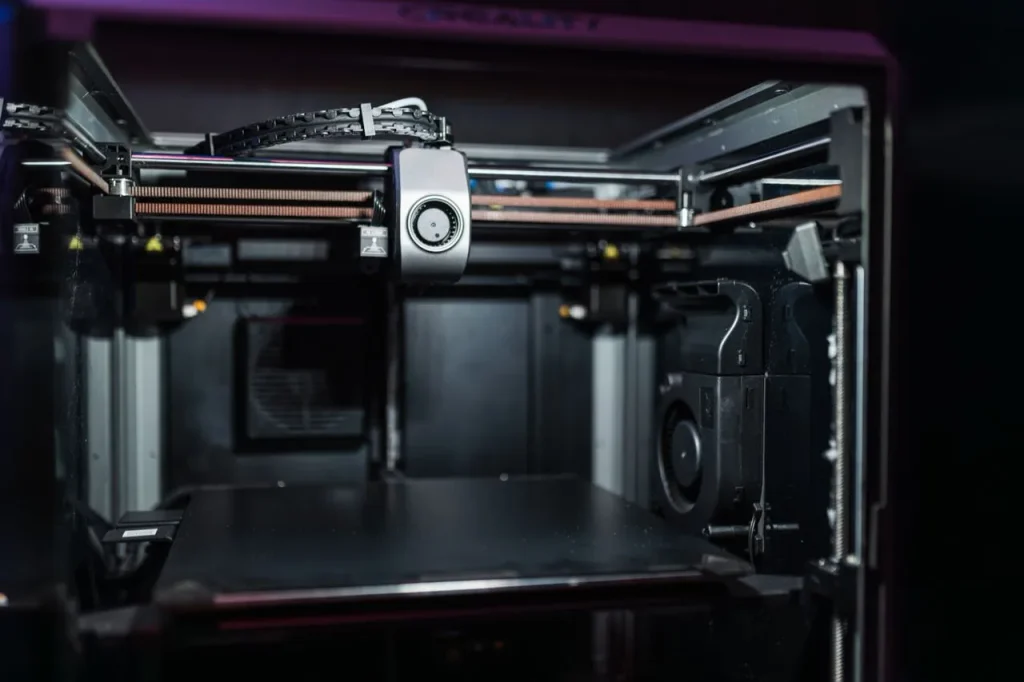
It is more than a machine that melts plastic and creates objects in layers; it needs to coordinate an electromechanical system, which combines structural engineering, motion transmission, precise thermal control, a control system, and software.
These subsystems will help you understand why two printers with the same filament can produce very different results in speed, surface finish, mechanical strength, and dimensional accuracy.
A. The Frame & Structure Components
Think of it as the bedrock of the entire machine. It doesn’t just hold the moving assembly together; it actively withstands the intense physical forces generated during rapid acceleration and deceleration of 3d printer.
Chassis: The skeletal structure. Modern printers use rigid aluminum extrusions (V-slot or T-slot) or bent sheet-metal frames. Frame rigidity is critical to prevent ringing or ghosting (surface artifacts caused by structural resonance).
Gantry: The overhead structural bridge that moves the toolhead. On classic Cartesian machines, this bridge spans the X-axis across two vertical Z-axis towers.
Bed (Build Plate): The deposition surface. Modern build plates are heated to mitigate polymer warping and are topped with spring steel sheets coated in PEI (smooth or textured), glass, or G10 composites.
Carriages and mounting plates: These connect moving assemblies to belts, linear guides, wheels, or other motion-transmission components.
A rigid frame alone does not guarantee high precision. The motion components, mechanical alignment, belt tension, thermal stability, and firmware calibration are also big factors.
B. The Motion System
This subsystem controls linear movement and determines of 3d printer how the printhead and build plate move along the X, Y, and Z axes.
Stepper motors: NEMA 17 motors are the industry standard, rotating in discrete angular increments (typically 1.8° or 0.9° per step) for open-loop positioning.
Belt and Pulley: GT2 timing belts (usually fiberglass or carbon-reinforced) transfer motor rotation into linear motion along the X and Y axes.
Lead Screws/ Balls screws: Utilised on the Z-axis. They provide a high mechanical advantage and torque to lift the heavy gantry or bed assembly without slipping when unpowered.
Linear Guide: These constrain movement to a defined path while limiting unwanted play
There are three common approaches to linear guidance:
| Guide type | Construction | Main characteristics |
|---|---|---|
| V-wheels | Polymer wheels rolling along extrusion profiles | Affordable and relatively easy to maintain. |
| Linear rods | Hardened steel rods with bushings or linear bearings | Simple design; alignment and bearing quality influence smoothness. |
| Profiled linear rails | Steel rail with a recirculating-ball carriage | Compact, rigid, and well suited to accurately guided motion. |
C. The Extrusion System (Toolhead)
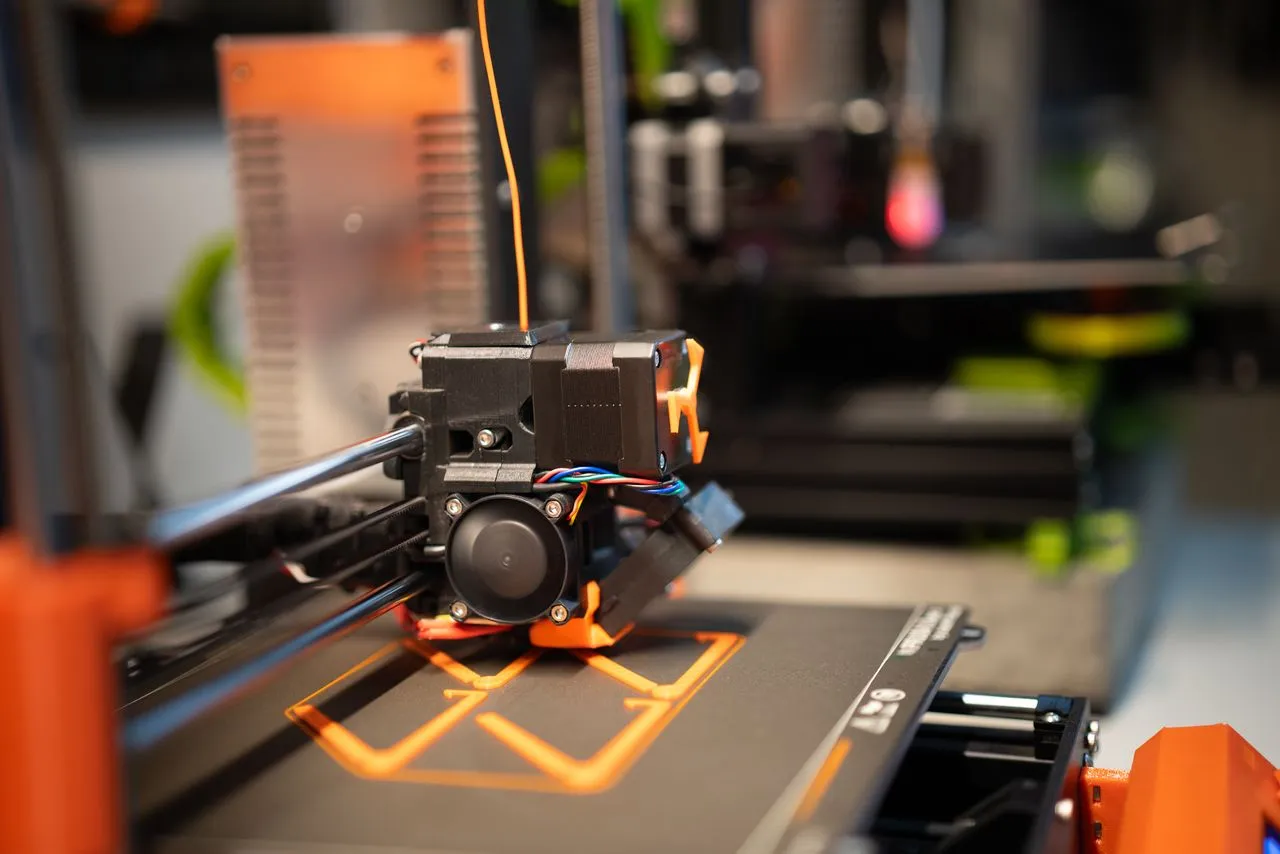
The extrusion system feeds thermoplastic filament into a heated nozzle and deposits the molten material along the toolpath.
The Hotend: Consists of a Heater Cartridge (thermal energy input), a Thermistor/PT1000 (temperature feedback loop), and a Nozzle (typically 0.4mm or 0.6mm brass, hardened steel, or ruby-tipped).
Thermal Management: A thin-walled Heat Break creates a sharp thermal gradient between the melt zone and the cold zone, preventing heat creep (premature filament softening). A dedicated Heatsink Fan keeps the cold zone cool, while a Part Cooling Fan rapidly solidifies extruded plastic.
Extruder: Its motor and drive gear grip the filament and push it toward the hotend. A common nozzle diameter is 0.4 mm; meanwhile, different diameters are also available for finer detail or higher material flow.
Two types of systems:
- Direct Drive: In this system, the extruder is mounted on or near the printhead. This shortens the filament path and generally improves control over flexible materials; however, the additional moving mass can affect acceleration.
- Bowden: In a Bowden system, the extruder motor is mounted remotely and feeds filament through a tube. This reduces printhead mass, but the longer filament path can make flexible-filament printing and extrusion retraction more challenging.
Direct drive is useful for flexible material and precise extrusion, whereas Bowden systems can benefit designs the prorities a lightweight toolhead.
D. The Control System
The control system coordinates motion, extrusion, and temperature. It turns the digital toolpath into the physical actions performed by the printer.
Mainboard and stepper drivers: The mainboard runs the printer firmware and coordinates motors, heaters, sensors, and other components. Modern 32-bit controllers offer more processing capacity, while drivers such as the TMC2209 can provide quieter motor operation and microstepping.
Power supply unit (PSU): Converts AC mains electricity into regulated DC power, commonly 24 V in modern desktop FDM printers.
Firmware and host computer: Firmware such as Marlin or Klipper interprets printing commands and coordinates their execution. Klipper uses a host computer for much of its motion planning and communicates with the printer’s microcontroller for timed execution.
User interface: A touchscreen, rotary encoder, web interface, or connected computer allows users to control the printer, monitor temperatures, and manage print jobs.
Kinematics: Understanding 3D Printer Motion
It explains how individual motors and mechanical linkages coordinate; it also guides the nozzle to a specified position in three-dimensional space.
What are the three axes in a 3D printer?
- X-axis: Left-to-right movement.
- Y-axis: Front-to-back movement.
- Z-axis: Up-to-down movement (vertical movement).
A. Cartesian (Bed Slinger)
Mechanics: The toolhead translates along the X (horizontal) and Z (vertical) axes, while the entire mass of the heated print bed moves along the Y (forward/backward) axis.
Advantages:
- Straightforward mechanical layout.
- Relatively simple calibration and maintenance.
- Often affordable to manufacture.
Limitations: The moving bed creates massive linear inertia. As the object becomes taller or heavier, the moving mass increases. Rapid changes in direction can leave ringing or ghosting patterns on the printed surface.
B. CoreXY
Mechanics: Two stationary motors (A and B) cooperate through a complex, continuous belt matrix to move a lightweight toolhead along the X and Y axes. The bed only moves incrementally along the Z-axis.
Advantages:
- Ultra-low toolhead mass enables high acceleration.
- High speeds with unparalleled frame stability.
- A stationary or near-stationary XY platform, which is useful for printing taller objects.
Limitations: Highly intricate belt routing paths; parallel alignment and identical belt tension are critical to prevent skewed axes, especially to maintain accurate movement.
CoreXY architecture does not automatically guarantee a particular speed or acceleration. Figures such as 500 mm/s or 10,000 mm/s² describe individual machines and operating conditions, not every CoreXY printer.
C. Delta
Mechanics: A fixed, circular print bed with three vertical towers. Parallelogram arms connect the towers to a floating toolhead, determining position through non-linear joint angles.
Advantages: Blazing-fast travel speeds, high vertical build-volume efficiency, and zero moving mass in some designs.
Cons: Relies on heavy trigonometric processing (inverse kinematics); physical assembly calibration must be absolutely perfect to prevent dimensional warping across the bed radius.
D. Polar
Limitations: Polar printers are less common in desktop FDM printing. Their coordinate system requires compatible motion planning and slicing support, and the rotating platform can introduce its own inertia and positioning considerations.
Mechanics: The build plate rotates around a central axis while the printhead moves radially. Depending on the design, vertical movement provides the third dimension.
Advantages:
- A distinctive motion system with potentially compact mechanical arrangements.
- A natural fit for certain rotational or radial build geometries.
Limitations: Polar printers are less common in desktop FDM printing. Their coordinate system requires compatible motion planning and slicing support, and the rotating platform can introduce its own inertia and positioning considerations.
Architecture comparison chart
The ratings aren’t performance scores but the general engineering trade-offs ranking by performance.
| Characteristic | Bed-slinger | CoreXY | Delta | Polar |
|---|---|---|---|---|
| Moving bed in XY | Yes | Typically no | No | Rotates |
| XY drive motors stationary | Not necessarily | Yes | Typically yes | Design-dependent |
| Kinematic complexity | Low | Moderate | High | High |
| Potential for high acceleration | Moderate | High | High | Design-dependent |
| Typical build geometry | Rectangular | Rectangular | Cylindrical | Design-dependent |
| Calibration complexity | Low–moderate | Moderate | High | High |
Important distinction: CoreXY is a distinct Cartesian-coordinate motion architecture, not a bed-slinger variant. CoreXZ is another belt-driven arrangement that coordinates X and Z motion, but it is less common than CoreXY in modern desktop machines.
The Physics of High-Speed Motion
A 3D printer’s motion architecture affects more than its speed. It also influences vibration, positioning accuracy, surface finish, and the ability to reproduce fine details.
Inertia & Ringing: When a toolhead or bed changes direction instantaneously, structural momentum causes transient frame deflection. This mechanical vibration prints microscopic “waves” onto the model. Keeping motor mass stationary (as seen in CoreXY) minimizes this effect.
Mechanical Backlash: The minute slop or play between belt teeth, gears, or bearing clearances. Upon directional reversal, this delay results in dimensional deviations and out-of-round circles.
Resonance Compensation (Input Shaping): Modern firmware uses an accelerometer to detect the fundamental resonant frequencies of the printer’s frame. It then pre-distorts the motor step signals with an inverse wave, canceling out physical vibrations dynamically during high-speed directional changes.
How mechanical engineering affects print quality
| Engineering principle | What happens in the printer | Potential effect on the print |
|---|---|---|
| Inertia | Moving assemblies resist acceleration | Vibration and reduced achievable acceleration |
| Structural stiffness | Frame and gantry resist deformation | Better dimensional consistency |
| Backlash | Clearance affects motion reversal | Positioning errors and inconsistent features |
| Resonance | Components vibrate at characteristic frequencies | Ringing and surface artifacts |
| Thermal expansion | Components change dimensions with temperature | Dimensional variation and possible alignment changes |
| Extrusion flow | Molten filament must be delivered at the required rate | Under-extrusion or inconsistent layers if flow is insufficient |
These relationships explain why a 3D printer’s real-world performance can’t be judged by its advertised maximum speed alone. Acceleration, motion tuning, material flow, structural stiffness, and the thermal system must all work together.
Modern 3D Printer Trends: Industry Paradigms
Modern desktop 3D printers increasingly combine more capable motion systems with improved electronics, firmware, and extrusion hardware.
High-speed printing: Some modern machines advertise speeds of 300 mm/s or higher. Actual print speed depends on acceleration, geometry, material flow, thermals, and the quality requirements of the part.
Klipper firmware: Uses a host computer for substantial motion planning and processing, alongside the printer’s microcontroller for timed hardware execution. Features such as input shaping and pressure advance can improve motion and extrusion control.
Enclosed printing: Enclosures help maintain a more stable thermal environment for materials such as ABS and ASA, which are prone to warping. Material-specific ventilation and fume management are also important.
Multi-material printing: Systems such as Bambu Lab’s AMS and Prusa’s MMU can automate filament selection and switching. They enable multicolour prints and soluble or other support materials, although material compatibility and filament waste vary by system.
Improved motion sensing and calibration: Automatic bed levelling, resonance measurement, and more capable firmware reduce the amount of manual adjustment required on many modern machines.
The Three Core Technologies
Though this guide focuses mainly on mechanical work, 3D printers are classified into three categories. Each utilizes a completely different state of matter and thermal process:
                  ┌───────────────────────────────┐
                  │   3D PRINTING TECHNOLOGIES    │
                  └───────────────┬───────────────┘
         ┌────────────────────────┼────────────────────────┐
         ▼                        ▼                        ▼
┌─────────────────┐      ┌─────────────────┐      ┌─────────────────┐
│  FDM / FFF      │      │  SLA / MSLA     │      │  SLS            │
│  (Filament)     │      │  (Liquid Resin) │      │  (Powder Bed)   │
└─────────────────┘      └─────────────────┘      └─────────────────┘
1. Fused Deposition Modelling (FDM / FFF)
How does it work? A solid thermoplastic filament is driven through a heated nozzle, melting it into a continuous bead that’s mechanically traced onto a build platform layer by layer.
Best for? Functional prototypes, load-bearing mechanical brackets, high-strength composite parts (Carbon Fiber-Nylon), and end-use tools.
Engineering considerations: The gold standard for mechanical utility, but limited by visible layer lines and structural anisotropy (weakness along the Z-axis).
2. Selective Laser Sintering (SLS)
A high-powered CO2 laser flashes across a bed of tightly packed, pre-heated polymer powder (typically Nylon). The laser fuses the powder particles without melting them completely. A roller then sweeps a fresh micro-layer of powder over the top, and the process repeats.
Best for: Industrial-grade batch manufacturing, highly complex geometries, and end-use aerospace or automotive parts.
Engineering considerations: The premium standard of plastic 3D printers. Because the unfused powder acts as a continuous, natural support structure, you can print parts with zero geometric constraints and no support marks. Parts possess exceptional, isotropic mechanical properties. Traditionally locked behind approx. $50,000+ or ₹47,00,000 industrial walls, benchtop SLS machines are slowly entering high-end engineering labs.
3. Stereolithography (SLA/ MSLA)
It uses a liquid vat of photopolymer resin. An ultraviolet (UV) light source shines up through the bottom of the vat, selectively curing and solidifying the liquid resin gradually.
It is best for ultra-resolution models, miniature figurines, intricate jewelry, and high-precision casting molds.
Engineering consideration: Capable of microscopic, injection-mold-like surface finishes and completely isotropic strength profiles. However, the raw materials are toxic, and parts require messy chemical washing (Isopropyl Alcohol) and post-UV curing. The materials also tend to be brittle under mechanical stress.
Digital Pipeline: Software
Doesn’t matter how good your 3D printer is without the software layer that translates 3D geometry into mechanical movement. This software is called a Slicer.
It uses STL, OBJ, or STEP files from your CAD software to convert the digital layout into solid objects layer by layer and generate a plain-text G-code file. This code further directs the computer language and instructs the printer’s mainboard on exactly what temperature to maintain, where to move the toolhead coordinates (X, Y, Z), and how much material is needed.
Core Slicing Adjustments Every Engineer Must Master:
Orientation & layer heights: Rotating a model in the slicer determines the direction of your Z-axis layer lines, allowing you to align structural forces away from weak interlayer bonds. Adjusting layer heights alters your dimensional accuracy and volumetric throughput. E.g.: 0.12mm for precision and 0.28 mm for speed
Infill Paradigms: You rarely print parts 100% solid. Slicers allow you to fill the internal cavities of a part with structural matrices like Gyroid, Honeycomb, or Grid patterns at variable percentages (e.g., 15% to 40%). The Gyroid infill is highly favored by mechanical engineers because it provides uniform, multi-directional structural strength without wasting filament.
Wall Loops (Perimeters): To increase the mechanical strength of a part, increasing the number of outer wall loops is far more effective than simply cranking up the internal infill percentage. More walls provide a thicker shell to absorb bending stresses.
Supports and clearances: Overhangs may require support material, while moving assemblies and mating parts need appropriate clearances. The necessary gap depends on the printer’s calibration, material shrinkage, orientation, and the geometry of the feature. Test prints are often useful when designing accurate fits.
Advantages and Limitations of 3D Printing
For engineers and technology enthusiasts, evaluating 3D printers requires more than considering machine price or advertised speed; the process offers substantial design flexibility, but material behaviour, dimensional accuracy, post-processing, and production requirements still matter.
The Advantages of 3D Printers
Design freedom and topologies: CNC milling or turning, known as subtractive manufacturing, requires toolpath access, meaning designing hollow matrices or undercuts is expensive, hard to execute, and sometimes physically impossible to machine. Meanwhile, 3D printers remove these manufacturing constraints.
Part Consolidation: With 3D printers, you can synthesize components in a single, print-in-place unit, eliminating fastening hardware, minimizing assembly labor, and reducing your overall bill of materials. Whereas in traditional mechanical design, an assembly might require distinct machined components to be tied together with bolts and pins.
Access to High-Performance Formulations: The modern desktop printing ecosystem has evolved far beyond brittle PLA plastics. With hardened steel nozzles and enclosed print chambers, you can run advanced engineering polymers like:
- Carbon Fiber, Glass-Reinforced Nylon (PA-CF/PA-GF) with high tensile strength and thermal resistance.
- Thermoplastic Polyurethane (TPU): Varied durometers allow you to fabricate custom gaskets, dampening mounts, and flexible seals on demand.
Not every desktop printer can process every engineering polymer. The required temperature, moisture control, enclosure, nozzle material, and ventilation depend on the filament.
The Production Limitations
The Z-Axis Anisotropy Problem: Many of you may not know about isotropy and anisotropy; in simple words, isotropic means strength is the same in all directions, and anisotropic means the strength is not equal in all directions.
Because 3D printing relies on melting a new layer of filament onto a previously cooled layer, the internal layer bond strength is inherently inferior to the bulk material strength, hance printed parts can be weaker along the Z-axis, perpendicular to the layers, making print orientation crucial for load-bearing applications.
Dimensional tolerance & Shrinkage Compensation: Achieving an interference or slip fit directly off a 3D printer requires careful calibration. Unlike a CNC mill that can comfortably hold tolerances within ±0.01 mm, an FDM 3D printer typically operates within a tolerance window of ±0.1 mm to ±0.2 mm.
Factors like material flow rate, thermal expansion coefficients, and slicing configurations will alter hole diameters and outer dimensions, requiring you to model “tolerancing slop” directly into your CAD files.
Polymer Thermodynamics: Warping and Shrinkage: Crystalline and semi-crystalline polymers shrink significantly as they transition from a molten state to a solid room-temperature state. If the rate of cooling is uneven across the part geometry, it induces severe internal thermal stresses.
The corners of the part will lift off the build plate (warping), or the layers will separate mid-print (delamination). Mitigating this requires restrictive heated enclosures and highly tuned cooling profiles.
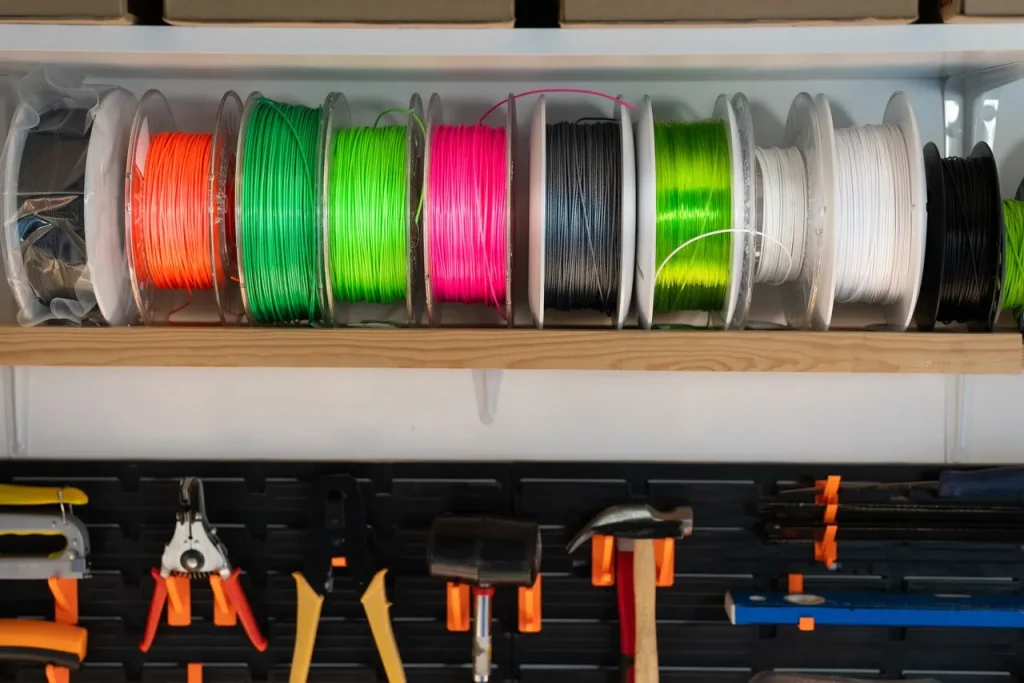
Moisture-sensitive (Hygroscopy): Nearly all functional filaments are highly hygroscopic (absorb moisture vapor from surroundings). When fed into a 250°C+ hotend, this trapped moisture instantaneously superheats into steam bubbles, causing audible popping sounds, massive extrusion voids, brittle layer adhesion, and ruined surface finishes. Storing material in desiccated chambers or active filament dryers is a strict requirement.
Technical Evaluation: Pros & Cons
For a mechanical engineer or tech enthusiast, evaluating a 3D printer requires looking past marketing, material properties, operational physics, and mechanical tolerances.
| Engineering consideration | Advantages | Limitations |
|---|---|---|
| Geometry | Complex shapes, internal channels, and lattices may be easier to produce | Overhangs, minimum feature sizes, and process constraints remain |
| Materials | Access to rigid, flexible, and specialised polymers | Material compatibility and processing requirements vary |
| Assembly | Part consolidation can reduce fasteners and assembly labour | Integrated parts may be harder to repair or inspect |
| Accuracy | Calibration and suitable process settings can produce useful dimensional consistency | Shrinkage, orientation, and machine capability affect tolerances |
| Mechanical performance | Parts can be tailored through geometry, orientation, and material selection | Interlayer bonding and material properties can limit strength |
| Finishing | Some parts can be used with minimal finishing | Supports, sanding, curing, or other post-processing may be necessary |
| Production | Useful for rapid iteration, custom parts, and low-volume manufacturing | High-volume production may favour other manufacturing methods |
Final Verdict
A 3D printer is a combination of mechanical engineering, material science, and digital manufacturing. Its real advantage is its ability to create geometries, iterate designs without the traditional tooling requirement, and consolidate components.
However, a successful 3D print highly depends on the complete system, which includes frame stiffness, thermal behaviour, material selection, motion architecture, slicer settings, extrusion consistency, and build orientation; all of which influence the final result.
Want to upgrade your old 3D printer
If you want to upgrade from an older 3d printer and want a reliable workflow, here is a breakdown: Why the New Bambu Lab X2D AMS is a Game Changer
Frequently Asked Questions (FAQ):
How does a 3D printer work?
A 3D printer converts a digital 3D model into machine instructions. It then deposits or solidifies material layer by layer until the object is complete.
What are the main types of 3D printing?
Three widely used technologies are FDM/FFF, which extrudes thermoplastic filament; SLA/MSLA, which cures liquid resin with light; and SLS, which fuses polymer powder using a laser.
What is the difference between Cartesian and CoreXY 3D printers?
A typical Cartesian bed-slinger moves its build plate along the Y-axis, while CoreXY uses coordinated belts to move the printhead along the X and Y axes. CoreXY can support higher acceleration, depending on its design and tuning.
What materials can a 3D printer use?
Depending on the printer and technology, materials include PLA, ABS, ASA, nylon, fibre-filled polymers such as PA-CF and PA-GF, flexible TPU, photopolymer resins, and specialised polymer powders.
What is the role of a slicer in 3D printing?
A slicer converts a 3D model into layers and toolpaths, then generates instructions such as G-code for the printer. It also controls settings such as layer height, infill, wall count, temperature, and print speed.
Why are 3D-printed parts weaker along the Z-axis?
In FDM printing, the bonds between layers may be weaker than the material within each layer. This can make parts more vulnerable to failure perpendicular to the layer lines, depending on the material and printing conditions.
Is 3D printing better than CNC machining?
Neither is universally better. 3D printing is useful for complex geometries, rapid prototyping, and low-volume custom parts, while CNC machining can offer tighter tolerances and may be more economical for certain materials and production runs.
Does moisture affect 3D prints?
Yes, moisture can affect both the printing process and the quality of the finished part. Many thermoplastics, particularly nylon (PA), TPU, and polycarbonate (PC), absorb moisture from the air. When wet filament passes through a hotend, the water can vaporise and cause popping sounds, bubbles, stringing, rough surfaces, and inconsistent extrusion.