
Best Laptops for Programming Students in 2026: Top Picks for Students
For education and programming students, a laptop needs to handle much more than basic browsing. From taking notes and attending online classes to working with multiple browser tabs, reading PDFs, and managing applications, the right amount of RAM can make a noticeable difference in everyday productivity.
If your workflow involves local datasets, coding environments, virtual machines, or data-analysis tools, your memory requirements can increase significantly. While 16GB of RAM is a practical choice for most students, those working with large datasets, demanding development tools, or more intensive workloads may benefit from 32GB of RAM.
For programming students, 512GB of SSD storage is a practical standard for most workloads. While 256GB can be sufficient for basic programming, it can quickly become restrictive once you install development environments, SDKs, databases, libraries, and other essential tools. A 256GB drive also requires more careful file management and greater reliance on cloud storage. For a smoother, more flexible experience, 512GB offers a better balance of capacity, performance, and convenience.
This guide will suggest some laptops to you that fit your study, programming, and productivity needs without paying for hardware you may not use.
Table of Contents
Laptops for Programming: Lenovo V15 G4 AMD Ryzen 5 7520U
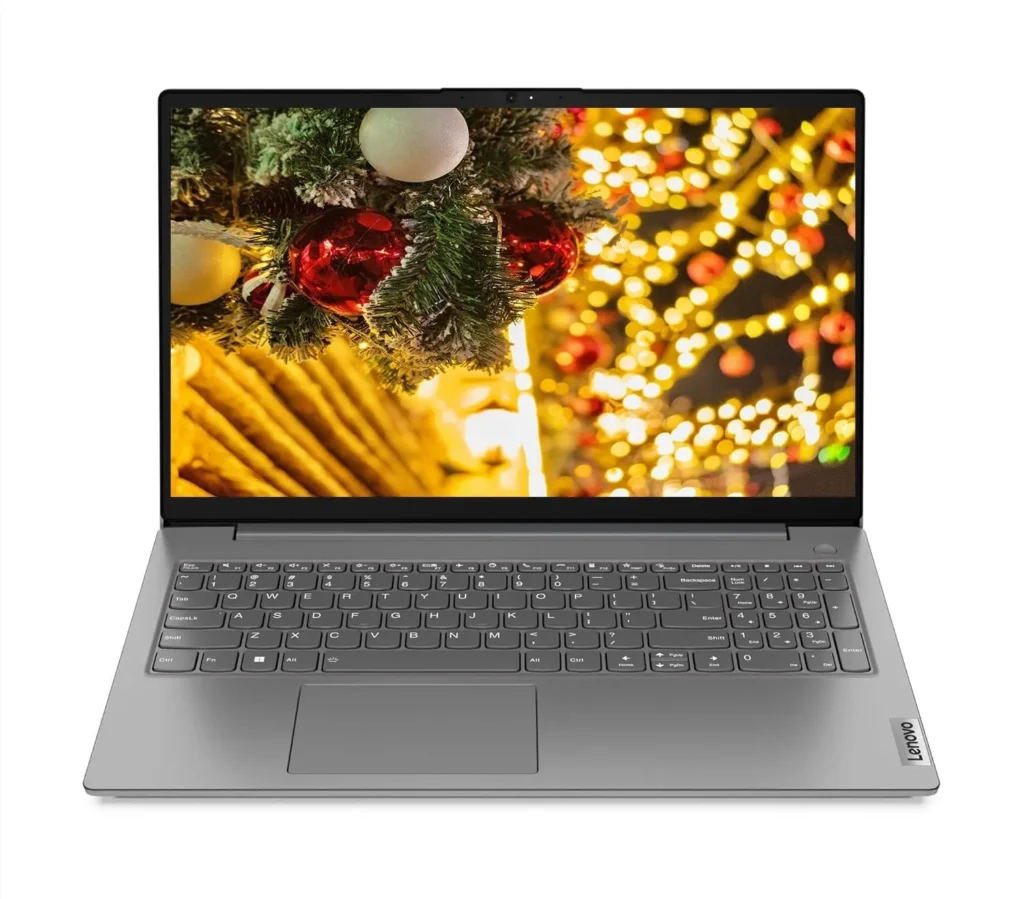
The Lenovo V15 G4, powered by the AMD Ryzen 5 7520U and paired with 16GB RAM and a 512GB NVMe SSD, is a solid option for entry-level to intermediate programming students. It can comfortably handle web development, lightweight scripting, programming assignments, and everyday student coursework.
At the time of writing, the laptop is priced at approximately ₹54,890 on Amazon. Pricing may vary depending on discounts and availability.
What’s Good?
Pros: The combination of 16GB RAM and a 512GB SSD provides a good balance for students. It allows development tools such as Visual Studio Code, programming environments, and multiple browser tabs to run comfortably during everyday use.
For students learning Python, JavaScript, HTML/CSS, C++, and similar programming languages, the Lenovo V15 G4 should provide enough performance for coursework, basic projects, and web-development tasks.
The 512GB SSD is also useful for students because programming tools, SDKs, libraries, databases, and project files can consume storage quickly.
Limitation
It features a basic TN display with 45% NTSC color coverage and a peak brightness of 250 nits. While adequate for everyday tasks, the display may not be ideal for extended coding sessions, particularly regarding viewing comfort and overall image quality. For students who regularly spend long hours programming or studying, connecting an external monitor can provide a more comfortable and productive workspace.
Specification
| Display | 15.6-inche HD ANTI-Glare LCD Display(1920 x 1080) |
| RAM | 16GB DDR5 5500MHz |
| Processor | AMD Ryzen 5 7520U |
| Storage | 512GB PCIe NVMe SSD |
| Connectivity | Standard Ports: 2x USB 3.2 Gen 1, 1x USB-C® 3.2 Gen 1 (supports data transfer, Power Delivery (20V only), and DisplayPort™ 1.2), 1x HDMI® 1.4b, 1x Headphone/microphone combo jack (3.5mm), 1x Ethernet (RJ-45), 1x Power connector, WLAN + Bluetooth Wi-Fi® 6, 802.11ax 2×2 + BT5.2 |
| Battery | Lithium-ion 1 Watt-hour (average life standby 5.5 hours) |
| OS and Softwares | WINDOWS 11 & MICROSOFT OFFICE 2024 |
Laptops for Programming: HP 15 AMD Ryzen 3 7335U
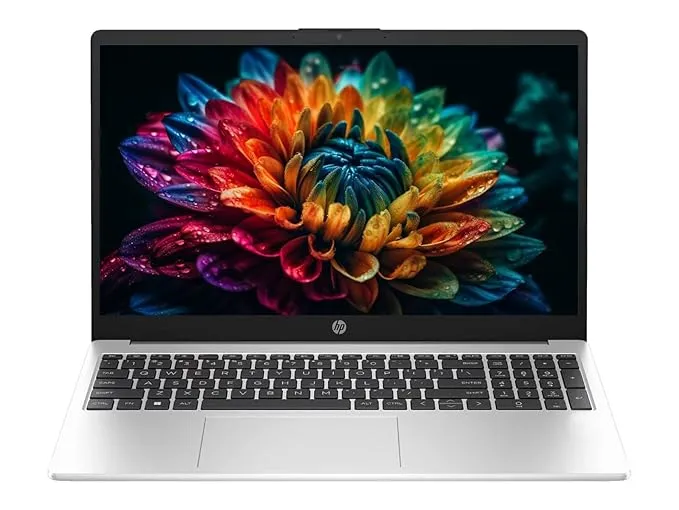
The HP 15, equipped with 16GB DDR5 RAM and an AMD Ryzen 3 7335U processor, provides a solid and reliable foundation for beginner programming students. It is well-suited for learning programming languages, writing basic code, web development, and handling everyday academic tasks.
At the time of writing, the laptop is priced at approximately ₹64,890 on Amazon. Prices may vary depending on discounts, configuration, and availability.
What’s Good?
Based on Zen 3+ CPU architecture, it features an integrated AMD Radeon 660M GPU, which outperforms older laptop graphics. The 512GB NVMe SSD storage is good enough space for installing applications and saving files.
HP 15 2026 has a better display for long study and programming sessions; IPS provides better viewing angles and contrast
Where Students will Feel the Limit?
It comes with a basic 15.6-inch LCD panel with a 45% NTSC color gamut and a maximum brightness of 250 nits, and 16 GB DDR5 4800 MHz RAM, which is weak compared to the previous laptop.
Specifications
| Display | 15.6-inche HD ANTI-Glare LCD Display(1920 x 1080) |
| RAM | 16GB DDR5 5500MHz |
| Processor | Ryzen 3 7335U 4.3 GHz, AMD Radeon 660M Graphics |
| Storage | 512GB PCIe NVMe SSD |
| Connectivity | Wi-Fi 6, Bluetooth 5.4, 1x HDMI port, USB port x 3, 3.5mm jack x 1 (audio port) |
| Battery | Lithium Polymer 65 Kilowatt Hours |
| OS and Softwares | WINDOWS 11 & MICROSOFT OFFICE 2024 |
Laptops for Programming: Acer Swift Neo OLED AI PC
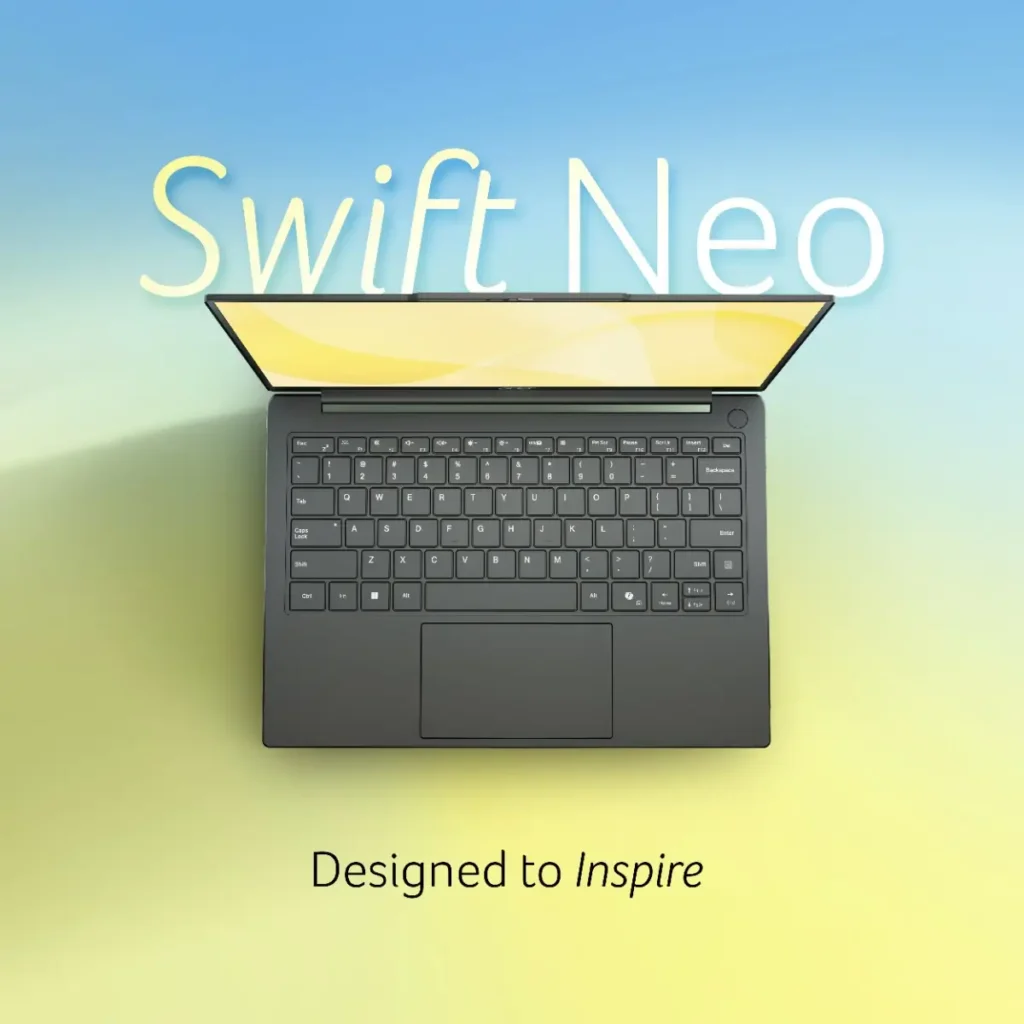
The Acer Swift Neo 14 is an excellent choice for students who want a laptop with a strong focus on programming and development. It can comfortably handle Python programming, web development, UI/UX design, data analytics, and other student-level workloads, making it a versatile option for both learning and practical projects. Pricing: ₹74,990.00 on Acer’s official website.
What’s Good?
It features an Intel Core Ultra 5 125H processor with 14 cores, paired with 16GB LPDDR5 RAM, a 512GB PCIe NVMe SSD, and a 16:10 OLED display. This combination provides a strong balance of performance, efficiency, and storage for programming and everyday productivity.
Where will Students Feel the Limit?
Even though the Acer Swift Neo is a powerhouse, it lacks upgradability to 32GB. You will only hit these limits if you pivot into heavy 3D game design, advanced local AI model training, or massive backend DevOps engineering.
Specifications
| Display | 14-inch 16:10 OLED panel, 300 nits brightness, 1920 × 1200 |
| RAM | 16GB LPDDR5 |
| Processor | Intel Core Ultra 5 125H |
| Storage | 512GB PCIe NVMe SSD |
| Connectivity | 2 x USB Type-C port with full function, 1 x USB 3.2 Gen A port, 1 x USB 3.0 Type A Port, 1 x USB 2.0 Type A Port 802.11 a/b/g/n/ac/ax wireless LAN, Bluetooth 5.2, 3.5 mm audio jack |
| Battery | 52Wh Li-ion battery |
| OS and Softwares | WINDOWS 11 |
Quick Comparison: Best Laptops for Programming Students in 2026
If you want a quick overview, these three laptops target different types of programming students. All three configurations provide 16GB of RAM and 512GB SSD storage, which is a practical starting point for programming and academic workloads in 2026.
| Laptop | Processor | RAM | Storage | Display | Best For |
|---|---|---|---|---|---|
| Lenovo V15 G4 | AMD Ryzen 5 7520U | 16GB LPDDR5 | 512GB NVMe SSD | 15.6-inch FHD | Budget programming |
| HP 15 | AMD Ryzen 3 7335U | 16GB DDR5 | 512GB NVMe SSD | 15.6-inch FHD | Beginner programming |
| Acer Swift Neo 14 | Intel Core Ultra 5 125H | 16GB LPDDR5 | 512GB NVMe SSD | 14-inch WUXGA | Programming + productivity |
The Lenovo V15 G4 configuration reviewed here uses the Ryzen 5 7520U, 16GB LPDDR5 memory and a 512GB SSD, while the Acer Swift Neo 14 configuration comes with the Core Ultra 5 125H, 16GB onboard LPDDR5 and a 512GB SSD. Acer lists a 14-inch WUXGA IPS display with a 16:10 aspect ratio for this Swift Neo configuration.
Disclaimer: Prices and availability mentioned in this article are accurate at the time of writing but may change over time. Product specifications can also vary by configuration or region. We recommend checking the manufacturer’s website and the retailer’s listing before purchasing.
How We Selected These Laptops
Choosing a programming laptop is not simply about finding the laptop with the fastest processor. Students have different workloads, budgets, and software requirements, so we considered several factors when selecting these models.
1. Processor Performance
The CPU is important for compiling code, running development environments, executing scripts, and handling multitasking. We considered processors that can comfortably handle common student programming workloads rather than focusing solely on benchmark scores.
2. RAM
We consider 16GB RAM a practical baseline for most programming students in 2026. It provides enough headroom for a code editor, browser tabs, development tools, and other applications running simultaneously.
Students working with virtual machines, large datasets, containers, Android Studio, or heavier development environments should consider 32GB RAM where available.
3. SSD Storage
We prioritized laptops with at least 512GB SSD storage. Programming tools, SDKs, databases, libraries, development environments, and project files can consume storage surprisingly quickly.
A 512GB SSD provides considerably more flexibility than a 256GB drive for students who intend to keep their projects and development tools locally.
4. Display Quality
Programming often involves spending several hours reading code and documentation. Therefore, display resolution, panel technology, brightness, viewing angles, and overall viewing comfort are important considerations.
A good display is particularly valuable for students who also use their laptop for online classes, reading PDFs, research, and general productivity.
5. Upgradeability
We also considered whether RAM and storage can be upgraded. This matters because programming workloads can become more demanding as students move from basic coursework to larger projects and professional development tools.
6. Everyday Student Experience
Finally, a programming laptop should also work well outside the code editor. We considered connectivity, portability, battery capacity, keyboard usability, multitasking, and the ability to handle everyday academic tasks.
Laptops for Programming: Who Should Buy These Laptops?
Lenovo V15 G4 — Best for Budget-Conscious Programming Students
The Lenovo V15 G4 is the better choice for students who want to keep the purchase price relatively low while still getting 16GB RAM and 512GB SSD storage.
It is suitable for:
- Students learning Python, C, C++, JavaScript and HTML/CSS
- Basic web development
- VS Code and similar code editors
- Programming assignments and coursework
- Online classes and research
- Students who regularly use multiple browser tabs
The main compromise is the display. The V15 G4 configuration uses a 15.6-inch FHD panel, and Lenovo’s specifications confirm that the platform uses soldered LPDDR5 memory with no memory slots, so buyers should choose the RAM configuration carefully because upgrading the RAM later is not an option.
HP 15 — Best for Beginner Programmers
The HP 15 with Ryzen 3 7335U, 16GB RAM and 512GB SSD is aimed at students who are beginning their programming journey and want a straightforward laptop for coding and academic work.
It is suitable for:
- Beginners learning programming
- Python and C/C++ coursework
- Basic JavaScript and web development
- VS Code and similar development environments
- Office work and online classes
- Students who need 512GB of local storage
The Ryzen 3 7335U configuration provides four CPU cores, while the 512GB SSD gives students enough room for development tools and project files. The exact HP 15 display specification should be checked against the individual model number before purchase because HP offers multiple display configurations across its 15-series laptops.
Acer Swift Neo 14 — Best Overall for Programming and Productivity
The Acer Swift Neo 14 is the strongest option among these three for students who want more processing headroom and a more premium overall experience.
It is particularly suitable for:
- Computer science students
- Web developers
- Python programmers
- Data analytics students
- UI/UX designers
- Students working with larger development environments
- Students who want a lightweight laptop for college
The Core Ultra 5 125H provides substantially more performance headroom than the entry-level processors in the other two laptops. Acer’s official listing also specifies 16GB onboard LPDDR5 memory, a 512GB PCIe NVMe SSD, and a 14-inch WUXGA IPS display with 300-nit brightness and a 16:10 aspect ratio.
Its main limitation is that the 16GB memory is onboard, so students who already know they will need 32GB should consider a different laptop with a higher-memory configuration.
Which Laptop Should You Buy?
Choose the Lenovo V15 G4 if your priority is getting a capable programming laptop at the lowest price among these options. Its Ryzen 5 7520U, 16GB RAM, and 512GB SSD are sufficient for typical student coding workloads.
Choose the HP 15 if you are a beginner who wants a simple machine for programming courses, web development and general college work. However, check the exact display and memory configuration before purchasing.
Choose the Acer Swift Neo 14 if you can spend more and want the strongest combination of CPU performance, portability, and display quality. It is the most versatile option here for students who expect their programming workload to become more demanding over time.
Final Verdict
For most programming students, 16GB RAM and a 512GB SSD should be considered a practical starting point in 2026. You do not necessarily need a dedicated GPU or an expensive gaming laptop to learn programming, build websites, write applications, or complete most college assignments.
Among these three laptops, the Lenovo V15 G4 offers the strongest value for budget-conscious students, while the Acer Swift Neo 14 is the better overall choice for students who want additional processing headroom and a more premium everyday experience. The HP 15 sits between the two as a straightforward option for beginners.
However, students planning to work with large datasets, multiple virtual machines, local AI models, demanding Android Studio projects, or container-heavy development environments should look beyond these 16GB configurations and consider a laptop with 32GB RAM and preferably 1TB SSD storage.
The most important thing is to buy according to your actual workload rather than paying extra for specifications you are unlikely to use.
Frequently Asked Questions
Is 16GB RAM enough for programming students in 2026?
Yes. 16GB RAM is sufficient for most programming students, including those learning Python, C++, Java, JavaScript, HTML/CSS and basic web development. It also provides enough room for a code editor, browser tabs and typical development tools.
If you regularly use virtual machines, large datasets, containers or other memory-intensive applications, 32GB is a better choice.
Is a 512GB SSD enough for programming?
For most students, 512GB is a good starting point. It provides enough space for programming tools, SDKs, databases, libraries, applications, and project files.
A 1TB SSD is preferable if you expect to work with large datasets, multiple development environments, virtual machines or large projects.
Do programming students need a dedicated graphics card?
Usually, no. A dedicated GPU is not necessary for general programming, web development or learning most programming languages.
Integrated graphics are sufficient for typical coding workloads. A dedicated GPU becomes more relevant for game development, 3D applications, GPU computing, machine-learning workloads and other graphics-intensive tasks.
Is Ryzen 3 enough for programming?
Yes. A modern Ryzen 3 processor can handle beginner programming, coursework, web development and basic scripting. However, students planning to work with more demanding development environments should consider a Ryzen 5, Core Ultra 5 or higher-class processor for additional performance headroom.
Is Ryzen 5 better for programming than Ryzen 3?
Generally, a Ryzen 5-class processor offers more performance headroom than a Ryzen 3-class processor, but the specific processor generation and architecture matter. You should not judge performance solely by the Ryzen 3 or Ryzen 5 label.
Do I need 32GB RAM for computer science?
Not necessarily. 16GB is enough for most computer science students, especially during the early years of study.
32GB becomes more useful when working with virtual machines, Docker containers, large datasets, Android Studio, local AI development or other memory-intensive workloads.
Is an OLED display necessary for programming?
No. An OLED display is not required for programming. A good-quality IPS display can provide an excellent coding experience.
For programming, prioritize comfortable viewing, adequate brightness, good resolution, and wide viewing angles rather than choosing a laptop solely because it has an OLED panel.
Is a gaming laptop good for programming students?
A gaming laptop can be excellent for programming because it often provides a powerful CPU, plenty of RAM and strong cooling. However, it is usually heavier and may have shorter battery life than a thin-and-light laptop.
Unless you also need a dedicated GPU for gaming, game development, 3D work or AI workloads, a conventional productivity laptop may be a better fit for college.