Best Laptops for Students Under ₹50,000 in 2026

Table of Contents
Finding the right laptop under ₹50,000 can be challenging. Students need a device that balances performance, battery life, display quality, and long-term reliability without exceeding their budget.
Whether you’re attending online classes, working on assignments, learning programming, or enjoying casual entertainment, the laptops below offer excellent value for money in 2026.
ASUS VivoBook Go 15 OLED (E1504F)
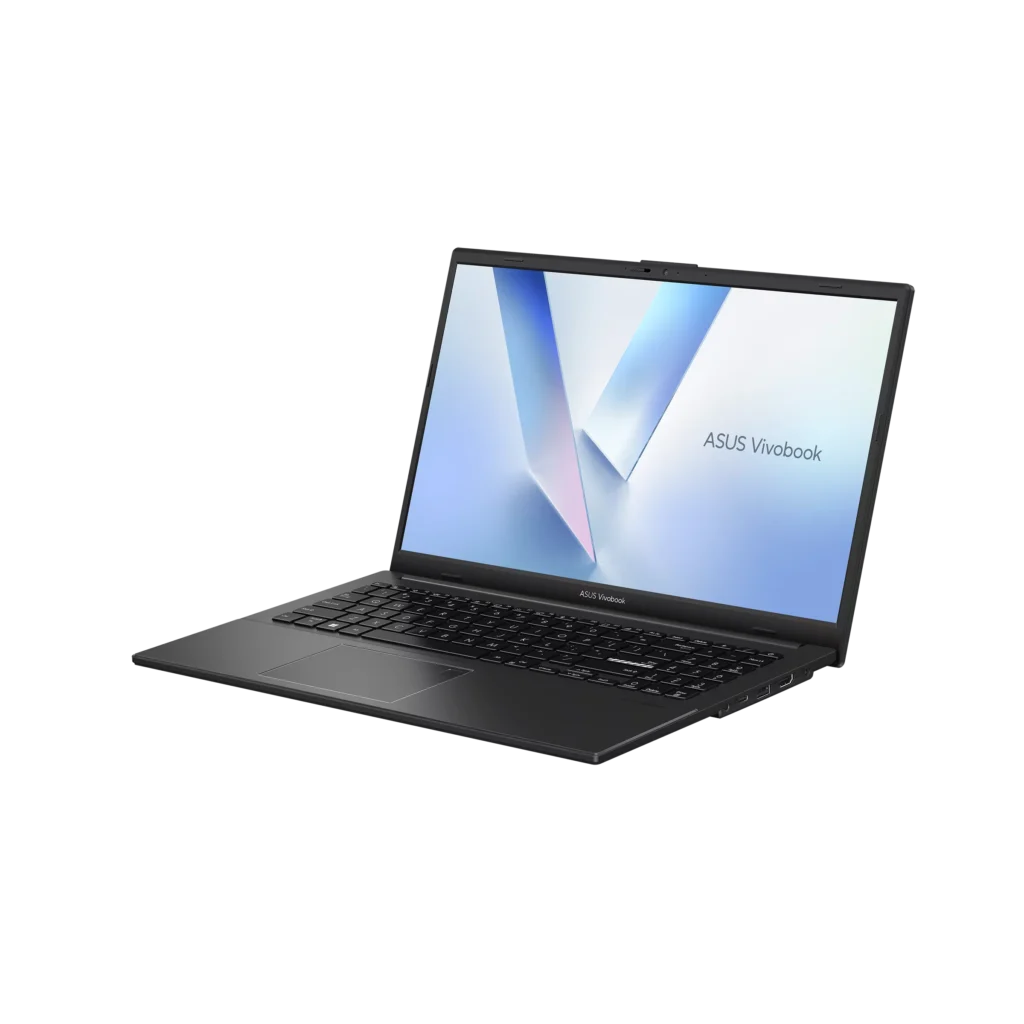
The ASUS VivoBook Go 15 OLED stands out as one of the most attractive laptops in this price segment. Its OLED display is a rare feature under ₹50,000 and delivers significantly better colors and contrast than standard LCD panels.
Key Specifications
- Processor: AMD Ryzen 5 7520U
- RAM: 16GB LPDDR5
- Storage: 512GB SSD
- Display: 15.6-inch Full HD OLED, 100% DCI-P3, 600 nits brightness
- Operating System: Windows 11 Home
- Software: Microsoft Office Home & Student 2024
- Connectivity: Wi-Fi 6E, Bluetooth 5
- Battery Life: Up to 8 hours
- Weight: Approximately 1.6 kg
Pros
- Excellent OLED display quality
- 16GB LPDDR5 RAM for smooth multitasking
- Fast SSD storage
- Modern connectivity options, including USB-C
- Windows 11 and Microsoft Office included
- Outstanding value for media consumption and daily productivity
Cons
- Ryzen 5 7520U is designed for everyday tasks rather than demanding workloads
- 60Hz refresh rate
- Mostly plastic construction
- Battery life is average compared to some competitors
- Limited upgrade options in certain variants
Verdict
The ASUS VivoBook Go 15 OLED is ideal for students, office users, and anyone who values display quality. If your primary tasks involve browsing, studying, video streaming, and productivity applications, this laptop offers one of the best experiences in its price range.
HP 15 255R G10 (Ryzen 5 7535U)
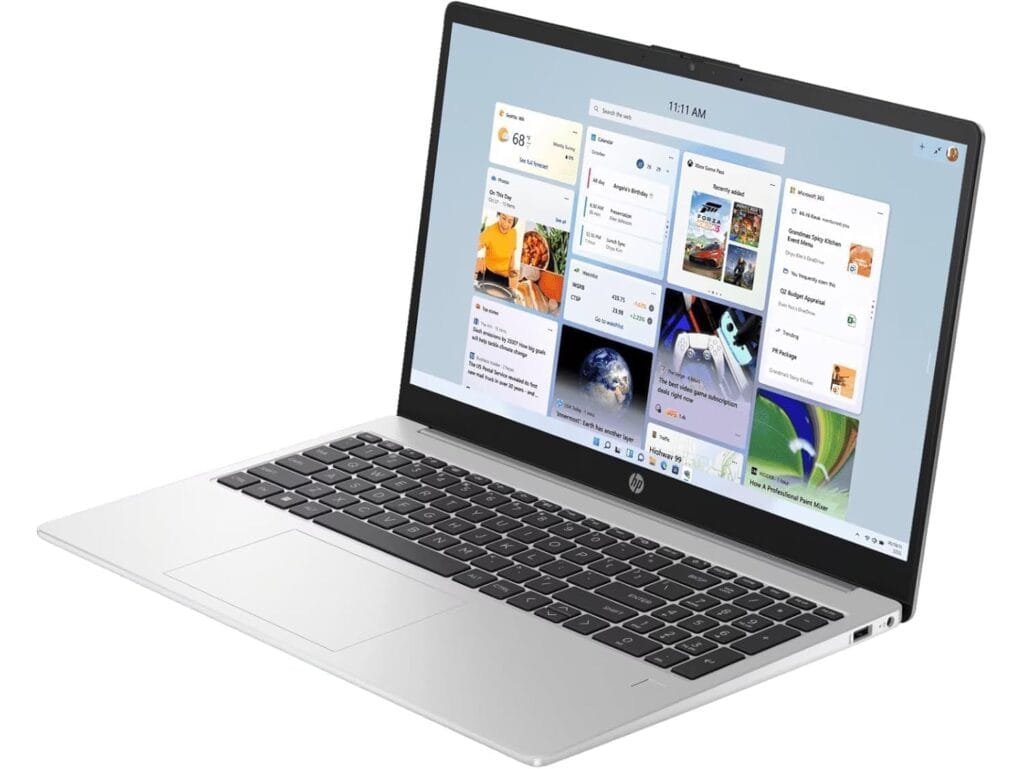
The HP 15 255R G10 focuses more on raw performance than display quality. Powered by the Ryzen 5 7535U, it delivers noticeably better processing power than many entry-level alternatives.
Key Specifications
- Processor: AMD Ryzen 5 7535U
- RAM: 8GB DDR5 (Upgradeable)
- Storage: 512GB SSD
- Display: 15.6-inch Full HD
- Operating System: Windows 11 Home
- Software: Microsoft Office 2021/2024
- Connectivity: Wi-Fi 6E, Bluetooth 5.3
- Battery: 41Wh
- Weight: 1.7 kg
Pros
- Strong multi-core performance
- DDR5 memory support
- RAM upgradeability
- USB-C with Power Delivery and DisplayPort support
- Reliable connectivity options
- Excellent performance-to-price ratio
Cons
- Standard display quality
- Average color accuracy
- Plastic chassis
- Battery life is only moderate
- Basic 720p webcam
- No dedicated graphics card
Verdict
Students who prioritize performance over display quality should strongly consider the HP 15 255R G10. It handles coding, multitasking, office work, and productivity applications with ease while remaining affordable.
Lenovo IdeaPad Slim 3 (Ryzen 5 7520U)
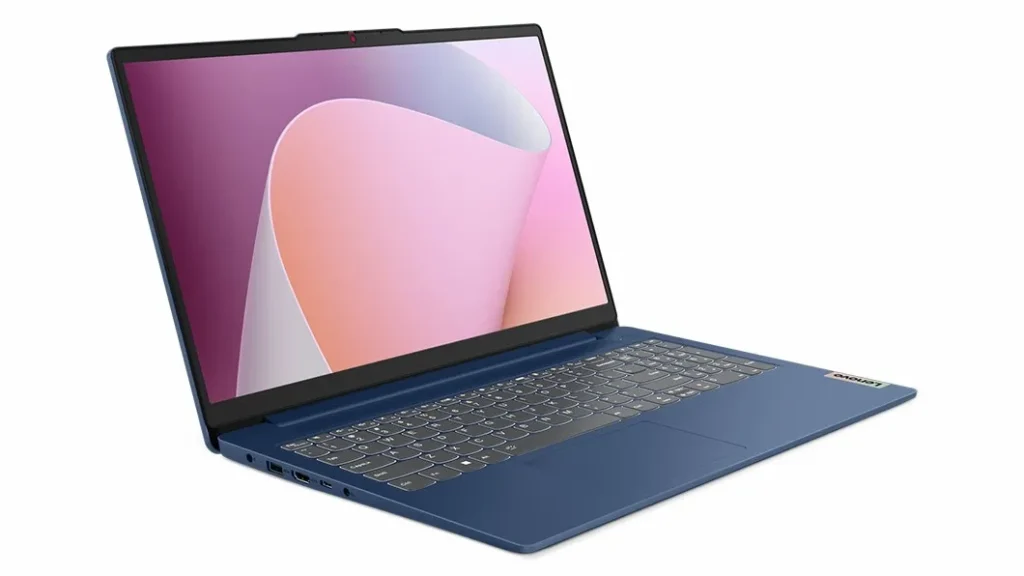
The Lenovo IdeaPad Slim 3 remains one of the safest recommendations for students thanks to its balanced feature set, practical design, and dependable everyday performance.
Key Specifications
- Processor: AMD Ryzen 5 7520U
- RAM: 8GB (Upgradeable to 16GB)
- Storage: 512GB SSD
- Display: 15.6-inch Full HD Anti-Glare, 300 nits
- Operating System: Windows 11 Home
- Software: Microsoft Office 2024
- Battery: 47Wh
- Weight: 1.6 kg
- Connectivity: Wi-Fi 6, Bluetooth 5.1
Pros
- Lightweight and portable design
- Anti-glare Full HD display
- Upgradeable RAM
- Fast SSD storage
- Backlit keyboard
- Good selection of ports
- Reliable battery performance
Cons
- Display quality is good, but not exceptional
- Ryzen 5 7520U is best suited for light-to-moderate workloads
- Integrated graphics limit gaming performance
- Webcam quality is average
Verdict
The Lenovo IdeaPad Slim 3 is an excellent all-rounder for students who need a dependable laptop for classes, assignments, web browsing, and everyday productivity.
Which Laptop Should You Buy?
Quick Comparison
| Laptop | Processor | RAM | Storage | Display | Best For |
|---|---|---|---|---|---|
| ASUS VivoBook Go 15 OLED | Ryzen 5 7520U | 16GB | 512GB SSD | OLED FHD | Media & Daily Use |
| HP 15 255R G10 | Ryzen 5 7535U | 8GB DDR5 | 512GB SSD | FHD IPS | Performance |
| Lenovo IdeaPad Slim 3 | Ryzen 5 7520U | 8GB | 512GB SSD | FHD Anti-Glare | Students |
- Best Display: ASUS VivoBook Go 15 OLED
- Best Performance: HP 15 255R G10
- Best Balanced Choice: Lenovo IdeaPad Slim 3
If you watch a lot of videos or want the best screen experience, choose the ASUS VivoBook Go 15 OLED. If performance is your priority, the HP 15 255R G10 offers the strongest processor. For a balanced mix of portability, battery life, and usability, the Lenovo IdeaPad Slim 3 is the safest recommendation.
Final Thoughts
Students no longer need to spend a fortune to get a capable laptop. The ASUS VivoBook Go 15 OLED, HP 15 255R G10, and Lenovo IdeaPad Slim 3 all provide excellent value under ₹50,000 and are suitable for studying, office work, programming, and daily productivity.
Before purchasing, compare current prices and available configurations, as specifications and pricing can vary depending on region and retailer.
If you want to learn how to choose your laptop, here is a laptop buying guide for beginners.