
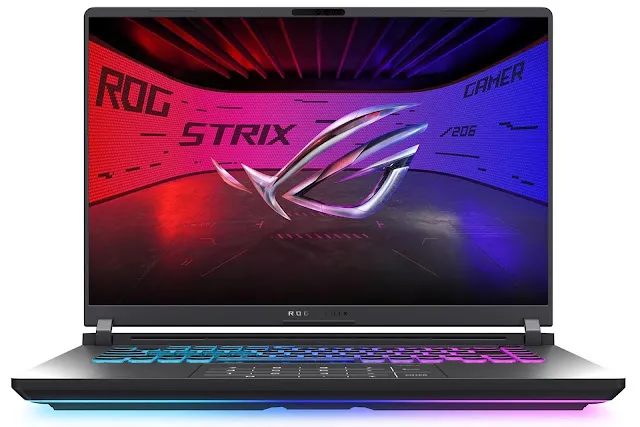

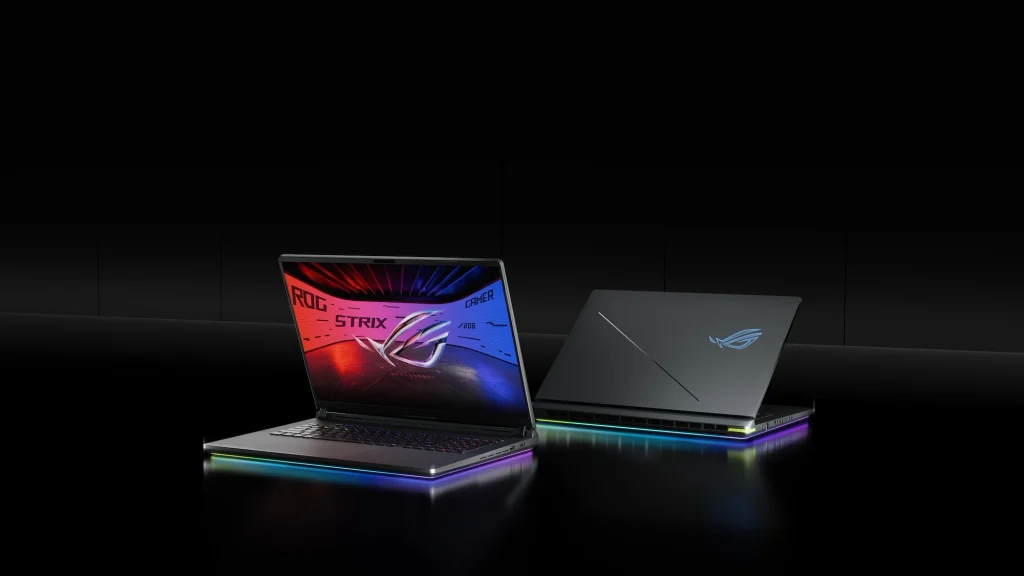
ASUS ROG Strix G16 RTX 5060 Review: Worth Buying in 2026?
The mid-range gaming laptop market is flooded with options, but the Asus ROG Strix G16 (RTX 5060) promises something cheaper budget laptops can’t: premium cooling infrastructure wrapped in a flagship chassis design. But at this competitive price point, does the hardware actually live up to the premium ROG branding, or are you just paying extra for RGB aesthetics? In this deep-dive review, we strip away the marketing hype to look at real-world FPS benchmarks, thermal performance, and whether the RTX 5060 configuration is truly worth your hard-earned money.
Table of Contents
ASUS ROG Strix G16 RTX 5060 Specifications
Processor
At the heart of this variant is the AMD Ryzen 9 9955HX processor. Built on the Zen 5 architecture, it features 16 cores and 32 threads, delivering enthusiast-level multitasking capabilities. With a base clock of 2.5GHz and boost speeds up to 5.4GHz, this CPU effortlessly handles demanding workloads like 4K video editing, 3D rendering, software development, and live streaming.
Dedicated Graphics
Graphics duties are handled by the NVIDIA GeForce RTX 5060 Laptop GPU, based on NVIDIA’s Blackwell architecture. Equipped with 8GB of GDDR6 VRAM, it comfortably runs modern AAA games at 1440p while supporting AI-powered DLSS Frame Generation and advanced ray tracing for smoother gameplay and higher visual fidelity.
Display and Storage Performance
The laptop features a premium 16-inch ROG Nebula Display with:
- Resolution: 2560 × 1600 (QHD+) 16:10 display
- Refresh Rate: 240Hz with 3ms response time
- Color Accuracy: 100% DCI-P3 coverage
- Brightness: Up to 500 nits
Memory and storage consist of 16GB DDR5 RAM and a 1TB PCIe Gen 4 NVMe SSD. ASUS also includes a tool-less upgrade design, allowing expansion up to 64GB RAM along with an additional SSD using the convenient Q-Latch mechanism.
Buyer’s Warning on the Display Options: Make sure to double-check the physical spec label before checking out. The base RTX 5060 models often use a dimmer 165Hz screen with only 100% sRGB color gamut. If your budget allows, look specifically for the ROG Nebula Display variant—the jump to a 240Hz refresh rate, 500 nits of brightness, and DCI-P3 color accuracy completely changes the video editing and gaming experience.
Asus ROG Strix G16 (RTX 5060) Gaming Benchmarks (1080p / 1200p)
To give you a realistic idea of what the RTX 5060 and Intel i7 configuration can handle, here are the average frame rates you can expect at High to Ultra settings:
- Cyberpunk 2077 (Ray Tracing On / DLSS Quality): 60–65 FPS
- Black Myth: Wukong (High Settings / DLSS Frame Gen): 75–82 FPS
- Valorant / Counter-Strike 2 (Competitive Settings): 280+ FPS
- Call of Duty: Warzone (Optimized Esports Settings): 110–125 FPS
Cooling, Battery & Power Efficiency
ASUS uses its signature Tri-Fan Cooling System, combining three independent cooling fans with a full-width heatsink to maintain excellent temperatures during heavy gaming sessions.
Power comes from a 90Wh battery, providing roughly 4–6 hours of productivity usage. During gaming, battery life drops to approximately 1–2 hours, making the included 280W power adapter essential for achieving full GPU performance.
Hardware Comparison: ASUS TUF A14 vs. ROG Strix G16
| Feature | ASUS TUF Gaming A14 | ASUS ROG Strix G16 |
|---|---|---|
| Primary Focus | Ultra-portability & AI Workloads | Maximum Gaming Performance |
| Weight | 1.48 kg | 2.50 kg |
| Processor | AMD Ryzen AI Max+ 392 | AMD Ryzen 9 9955HX |
| Graphics | AMD Radeon 8060S | NVIDIA RTX 5060 Laptop GPU |
| VRAM | Shared System Memory | 8GB GDDR6 Dedicated |
| Display | 14-inch QHD+ 165Hz | 16-inch Nebula QHD+ 240Hz |
| RAM Upgrade | No | Yes |
| Ray Tracing | Moderate | Excellent |
| Power Adapter | 200W | 280W |
Who is it for?
- Buy it if: You want premium ROG cooling engineering, excellent deck thermals, and an aesthetic chassis that punches above budget options like the ASUS TUF series.
- Skip it if: You are prioritizing absolute maximum frames-per-dollar. In that price bracket, a discounted last-generation RTX 4070 laptop might offer raw frame advantages if you don’t mind a cheaper plastic build.
Final Verdict: ASUS ROG Strix G16 RTX 5060
The ASUS ROG Strix G16 RTX 5060 is a performance-focused gaming laptop designed for users who want strong gaming performance, capable cooling, and enough hardware headroom for demanding creative workloads. The combination of the Ryzen 9 9955HX, RTX 5060 8GB, fast DDR5 memory, and PCIe Gen 4 SSD makes it suitable for AAA gaming, 4K video editing, 3D rendering, software development, and streaming.
The 16-inch QHD+ 240Hz ROG Nebula Display is one of its strongest features, particularly for users who combine gaming with content creation. Its high refresh rate benefits competitive gaming, while the 100% DCI-P3 coverage and 500-nit brightness make it more suitable for color-sensitive creative work than the lower-end display configurations.
Cooling is another major advantage. The Tri-Fan cooling system and 280W power adapter are designed to sustain the laptop’s high-performance hardware during extended workloads, although its 2.5kg weight and relatively short gaming battery life mean this is primarily a desktop-replacement-style gaming laptop rather than a portable everyday machine.
Overall, the ROG Strix G16 RTX 5060 makes sense for gamers and creators who prioritize sustained performance, display quality, cooling, and upgradeability over portability. However, buyers should carefully verify the exact display configuration before purchasing, because RTX 5060 variants can differ significantly in panel specifications.
In short: The ROG Strix G16 RTX 5060 is a well-rounded choice for demanding gaming and creative workloads, provided you choose the 240Hz Nebula Display configuration and its price remains competitive with RTX 4070 alternatives.
- First time buying a gaming laptop? Read our Laptop Buying Guide 2026: Avoid These Costly Mistakes,
- and if you are looking for a laptop for programming, read our Best Laptops for Programming Students – 2026